
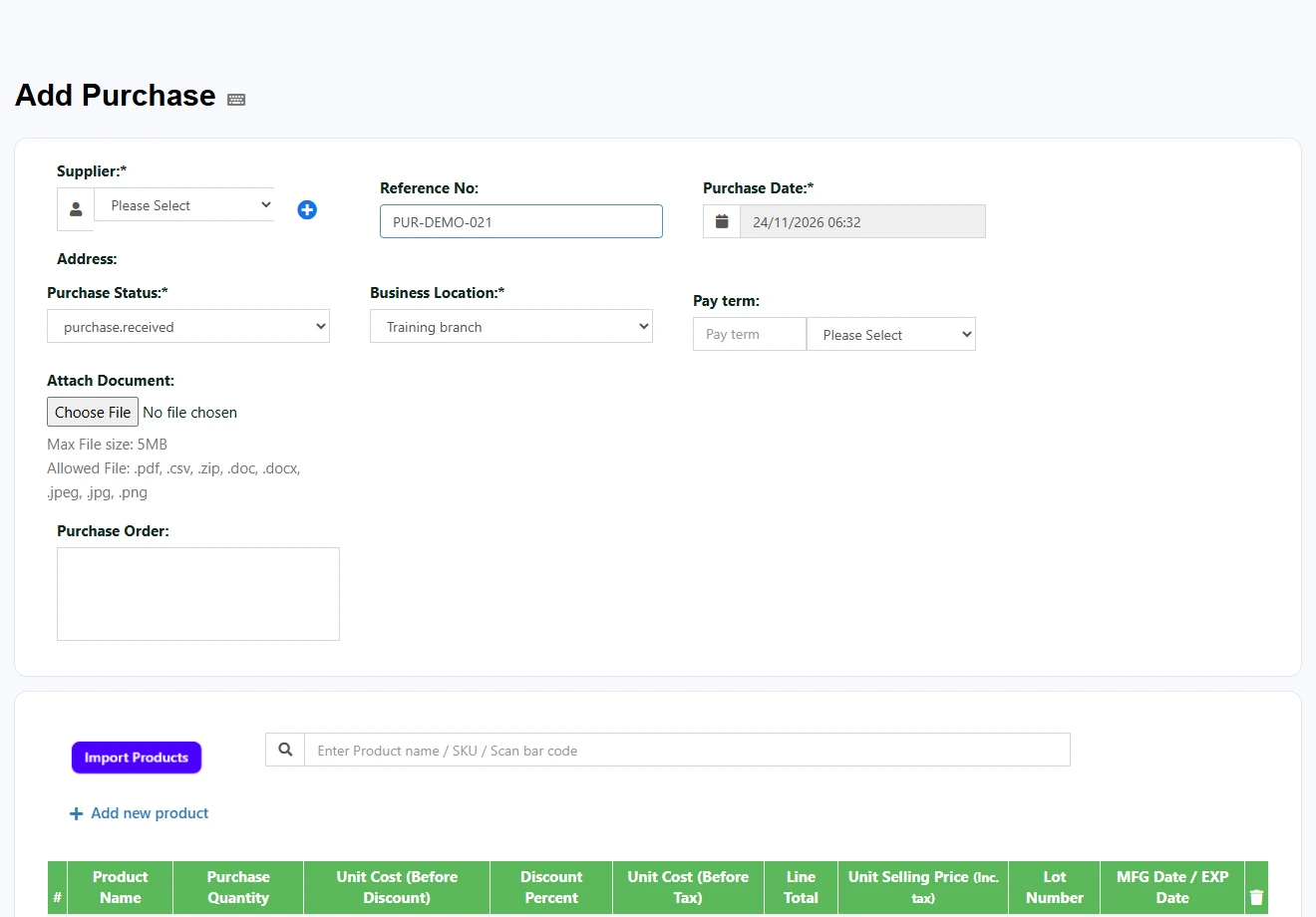
Receive raw materials or tracked items
Record received quantity in its unit and cost against the relevant purchase or transfer document, then check the balance against the source.
Steps
-
Identify the source
From a supplier: the purchase invoice. From a kitchen or branch: the transfer itself.
-
Enter quantity and unit
Choose branch, item and unit. If you buy cases and stock pieces, check the conversion.
-
Check value and batch
Check the cost and the supplier or transfer reference, and batch details if used.
-
Check the balance
After posting see the item's movement in the branch, and the entry if accounting is on.
Fields and buttons
| Field or button | When to use it | Result and how to check |
|---|---|---|
| Document type | Identify whether the source is a supplier or another branch | Reconcile supplier receipts to their invoices and transfers to origin and destination. |
| Branch and date | Set the actual receiving location and date | The stock effect follows the branch and document status. |
| Quantity and unit | Count arrivals and apply the configured conversion | Two boxes at 12 each equal 24 base units when configured that way. |
| Cost, lot and expiry | Check the supplier invoice and complete enabled traceability fields | The stock layer carries its receipt source and cost. |
| Short shipment | If part arrives, reconcile the balance against the order or transfer | Check receipt history before retrying to avoid duplicating received stock. |
Worked example
Receiving oil by the case
Training example. Two 12-litre cases equal 24 litres received. On KWD 24.000 before tax or other costs, the example cost is KWD 1.000 per litre.
From ChatGPT or Claude
Once KEMET is connected to your assistant, copy and send this request:
Receive this purchase invoice into my branch and show stock afterwards.
The assistant reads data right away. Any change is shown to you in KEMET for approval before it runs, within your account permissions only.
Tools the assistant uses here
restaurant_propose_create_purchase_invoicerestaurant_propose_receive_purchase_orderrestaurant_list_stock
Verify the result
- The receipt appears in the branch movement in the correct unit.
- The reference is visible and the lot value ties back to a purchase or transfer.
Common problems
Saved quantity is higher than expected
Compare the receipt unit and conversion with the stock movement before recording a correction.
Only part of the transfer arrived
Record actual receipt against the transfer and review remaining in-transit stock and any discrepancy.
For: Branch manager Accountant Kitchen team
Screens and buttons depend on your account permissions and branches. Images show KEMET with training data.