
Connect your restaurant to ChatGPT or Claude
Add the KEMET connector to an eligible account and verify its read access to your company and permitted branch.
Steps
-
The platform admin enables the connection
In the console → Companies → Modules they enable “ChatGPT and Claude connection”, and “Assistant change proposals” if you need actions.
-
Open the connection page in KEMET
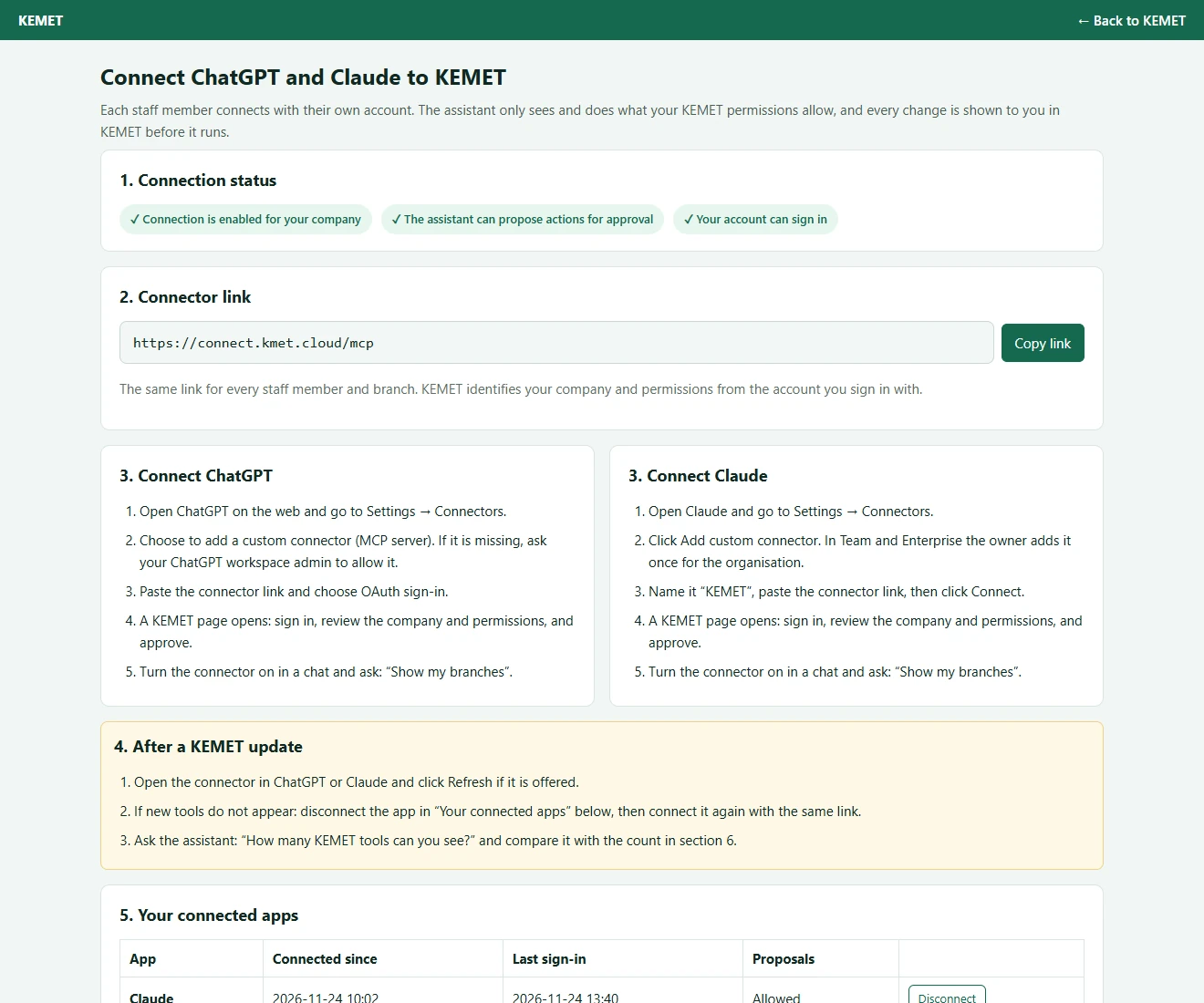
From the sidebar open “Connect ChatGPT & Claude”. It shows the link with a copy button, the status and how many tools your account has.
-
Connect ChatGPT
In ChatGPT on the web: Settings → Connectors → add a custom connector, paste the link and choose OAuth.
-
Connect Claude
In Claude: Settings → Connectors → Add custom connector, paste the link and click Connect.
-
Approve and test
A KEMET page opens: sign in and approve. Ask “Show my branches” and compare the tool count with the connection page.
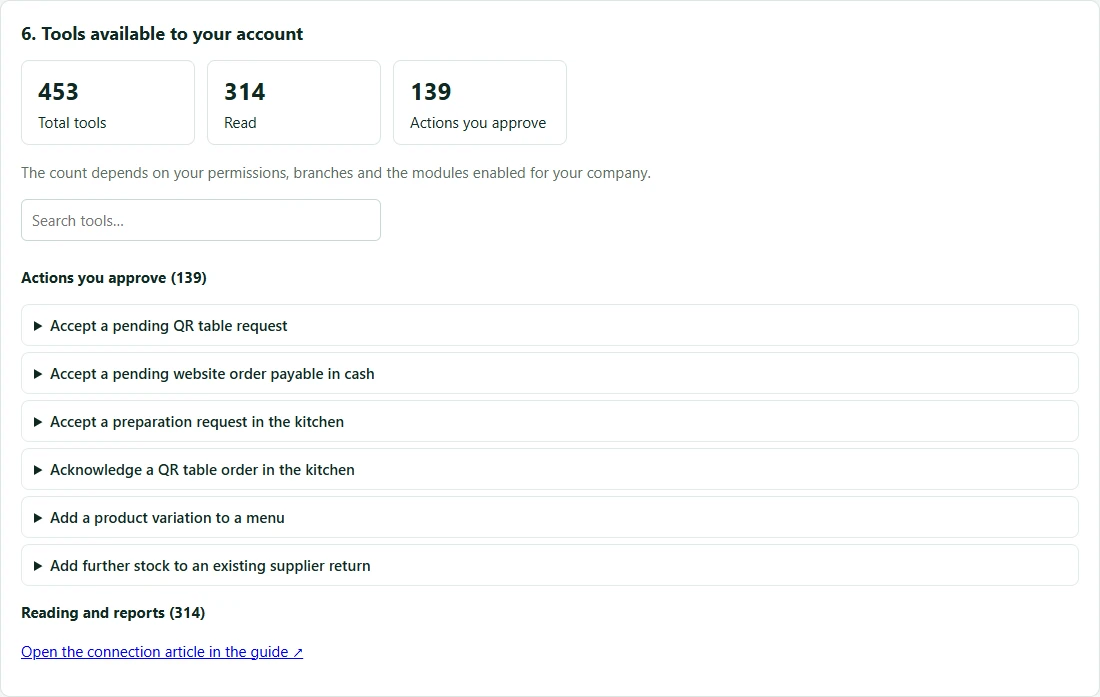
Tools available to your account: total, read and approved actions, with searchView full size
Fields and buttons
| Field or button | When to use it | Result and how to check |
|---|---|---|
| Connect ChatGPT and Claude | A platform administrator enables the connector from Modules on the company profile. | Company staff can connect with their own accounts and see data according to role and branch access. |
| Assistant change proposals | Enable proposals in Modules when needed. Reconnect the account if its earlier consent granted read-only access. | The proposal opens for review and approval in KEMET. |
| ChatGPT Business / Enterprise / Edu | Use ChatGPT on the web. Workspace owners or admins add the custom server and control access. | KEMET proposals require the full connector capability and enabled KEMET proposal approval. |
| ChatGPT Plus and Pro | Plus can use eligible published apps. Current OpenAI documentation gives Pro read/fetch access for custom MCP. | Check plan and Plugins availability. Proposal calls need a surface that supports write-capable tools. |
| Claude custom connector | Use the restaurant's remote MCP URL. Follow administrator setup for managed accounts and connect as your KEMET identity. | Enable the connector in a chat if required and request permitted branches as your first test. |
| KEMET read and proposal consent | Review the company and access. The proposal consent option depends on restaurant and connector configuration. | Available tools depend on enabled modules, your account and allowed branches. Use KEMET for authorized company document access. |
Worked example
A first branch read
Try asking: “Show my branch sales for the seven days ending yesterday and compare with the previous seven for that branch. Include dates, currency, credit notes and the source of each figure.” Verify scope before using the figures.
From ChatGPT or Claude
Once KEMET is connected to your assistant, copy and send this request:
Show my branches and tell me how many KEMET tools you can see.
The assistant reads data right away. Any change is shown to you in KEMET for approval before it runs, within your account permissions only.
Tools the assistant uses here
restaurant_list_branchesrestaurant_search_guiderestaurant_get_guide_article
Verify the result
- Returned branches match your KEMET permissions, and report currency and dates are correct.
- An eligible change is proposed for review, with the actual result confirmed in KEMET after approval.
Common problems
The KEMET sign-in page opens but my account cannot connect
Ask the platform administrator to check Connect ChatGPT and Claude under Modules on the company profile. Check that the staff account is active and permitted to sign in at the intended restaurant.
Add custom MCP server is missing in ChatGPT
Check plan, workspace enablement and your role. Plus can access eligible published apps, with full custom MCP available on the web workspace plans above.
Connected, but a tool is unavailable
Check native KEMET permission, selected branch, module and connector access. After an update, ask the ChatGPT workspace admin to refresh available tools as allowed by publication settings.
For: Restaurant owner Branch manager Accountant
Screens and buttons depend on your account permissions and branches. Images show KEMET with training data.