
Prepare and hand over a preorder
Move a booking from Booked to Handed over, verify the deposit on the invoice and collect the balance before handover.
Steps
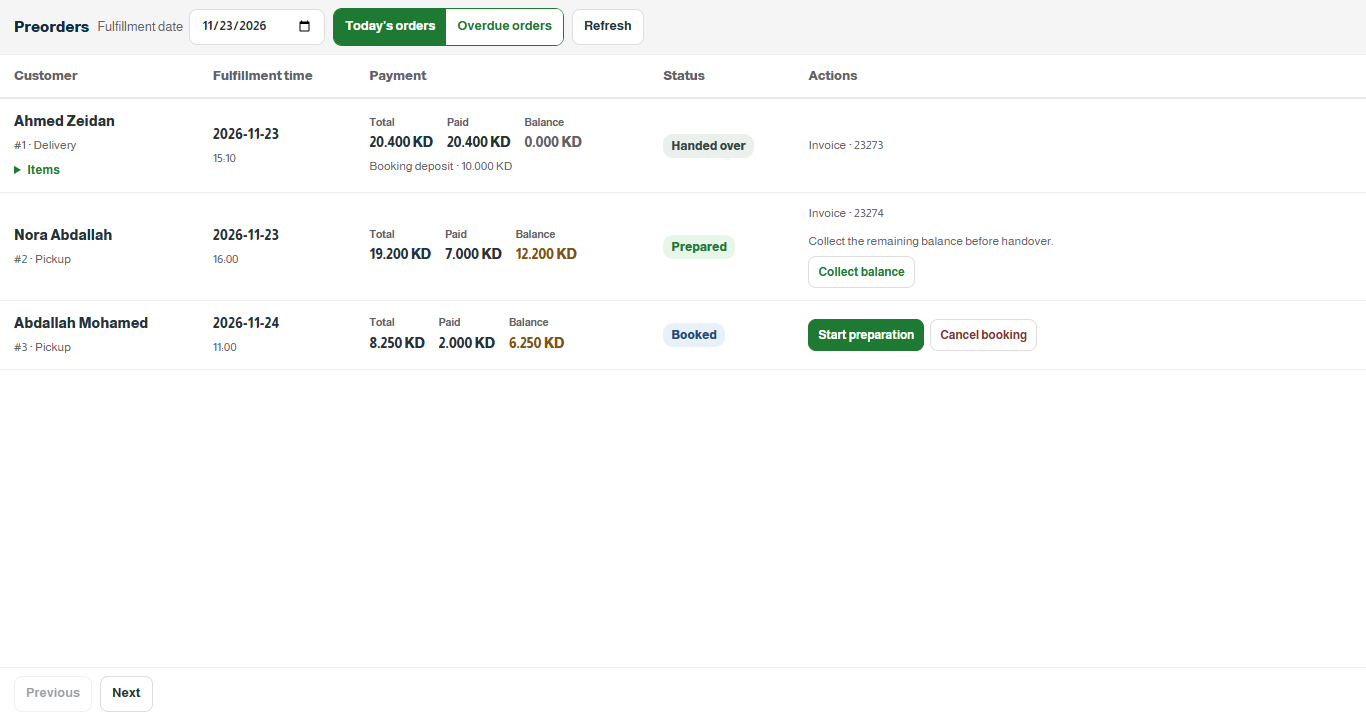
-
Open the booking on its day
In Preorders choose the fulfilment date or Overdue.
-
Start preparation
Click Start preparation when the kitchen begins. An invoice is created for the booking.
-
Check the deposit on the invoice
Open the invoice. Paid includes the deposit and any later payment.
-
Mark ready and collect the rest
Click Prepared once the food is really ready. If money is due, click Collect balance.
-
Record handover
After the customer receives it, record the handover. Delivery orders follow the driver flow.
Fields and buttons
| Field or button | When to use it | Result and how to check |
|---|---|---|
| Booked | Find the booking for the fulfillment date and use Start preparation when the branch is ready. | A linked invoice appears and fulfillment starts. Eligible bookings can be cancelled before preparation. |
| Sent to kitchen | Check items and kitchen progress. Prepared is available to an eligible account where branch and state permit. | Mark the order ready after items are actually complete. |
| Prepared | Check paid and due values before handover. Use Collect balance when it remains outstanding. | When a delivery provider manages status, track it there. Use manual handover when available. |
| Handed over | Confirm after fulfillment is ready and the required collection has been confirmed. | Open the invoice reference on the booking row to confirm payment after handover. |
| Fulfillment date | Use the fulfillment day even if it was booked earlier. Today's orders resets the view to today. | Verify both date and time on the booking before updating it. |
| Overdue orders | Review bookings past their due time that still need branch action. | Open the row to inspect status and reason before recording any action. |
Screen images
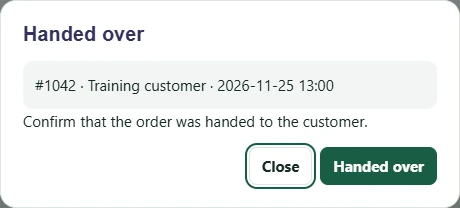
Worked example
Completing the training example
A KWD 14.900 booking has a KWD 5.000 deposit. Starting preparation leaves KWD 9.900 due. Once that amount is actually collected, verify paid is KWD 14.900 and balance zero before handover.
From ChatGPT or Claude
Once KEMET is connected to your assistant, copy and send this request:
Show tomorrow's preorders and mark this one ready.
The assistant reads data right away. Any change is shown to you in KEMET for approval before it runs, within your account permissions only.
Tools the assistant uses here
restaurant_list_preordersrestaurant_propose_release_preorderrestaurant_propose_ready_preorderrestaurant_propose_handover_preorder
Verify the result
- The booking has one linked invoice and one stock issue.
- Stock, kitchen and payment status agree with the invoice before handover.
Common problems
The handover action is unavailable
Check whether it is still being prepared, has a balance due, or the delivery service controls handover status.
Uncertain whether preparation was started
Refresh Preorders and reopen the same booking. If an invoice exists or the status is In preparation, inspect it before trying again.
For: Cashier Kitchen team Branch manager Accountant
Screens and buttons depend on your account permissions and branches. Images show KEMET with training data.