
Request preparation for your branch in POS
Send the branch's preparation needs from POS, then track requested, prepared, in-transit and received quantities.
Steps
-
Open preparation requests
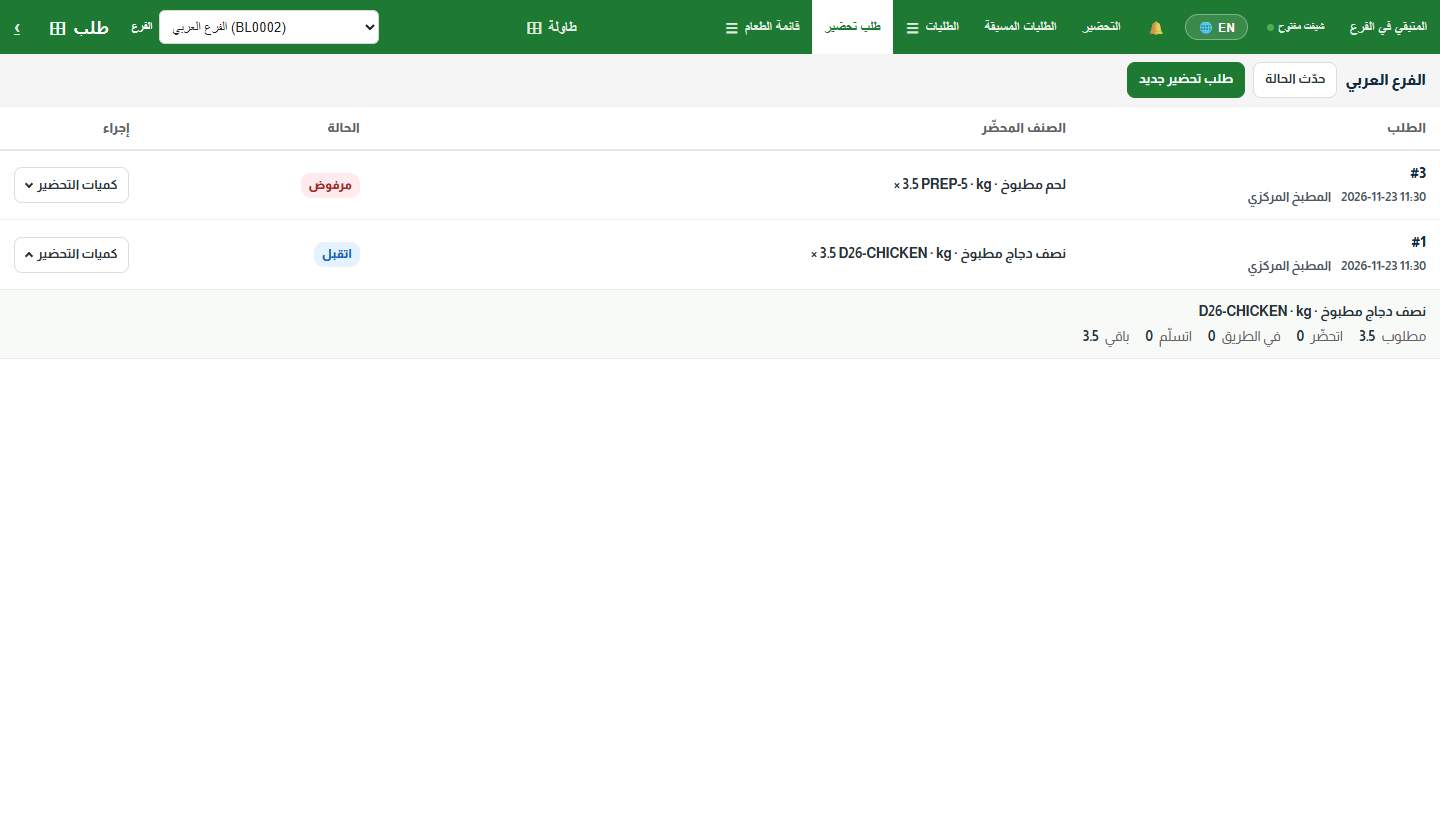
In POS click Request preparation. You see the branch's requests and their status.
-
New request
Click New preparation request and check the requesting branch and preparation location.
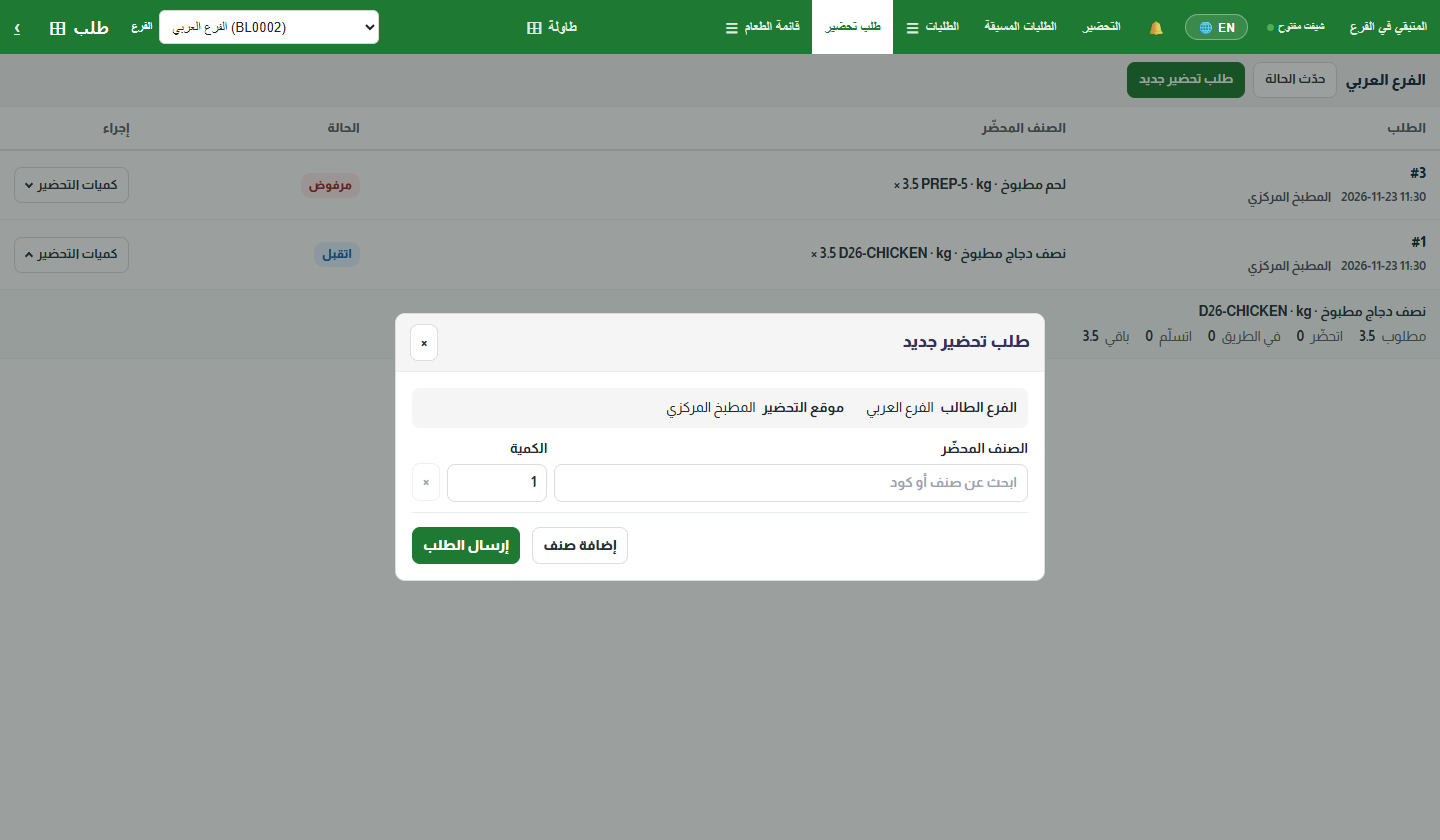
نموذج طلب تحضير من الفرعView full size -
Choose item and quantity
Choose the prepared item and enter the quantity, add more items if needed, and click Send request.
-
Follow the request
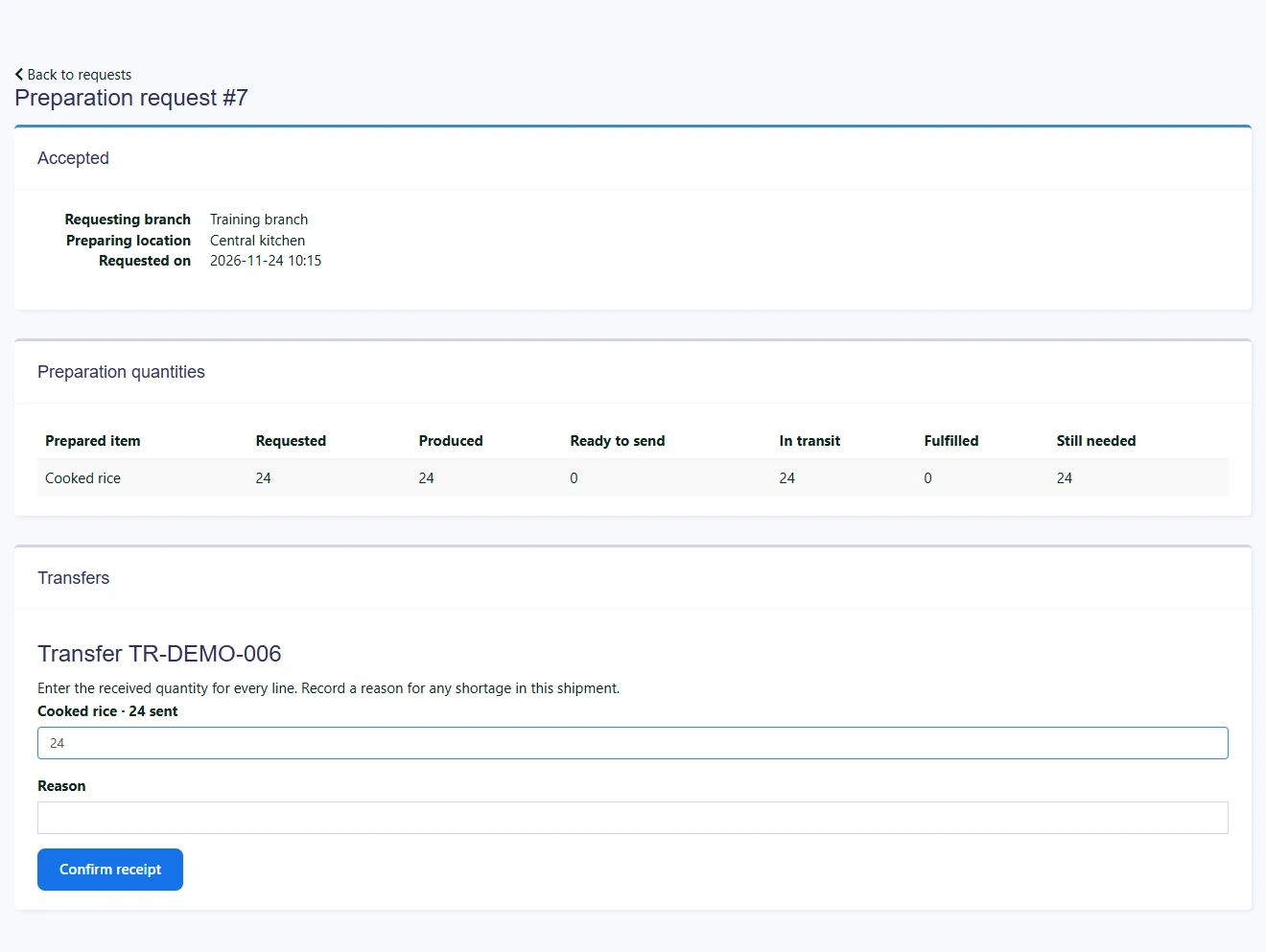
Open the request number. You see requested, prepared, in transit and received.
Fields and buttons
| Field or button | When to use it | Result and how to check |
|---|---|---|
| Requesting branch | Check the requester is the branch that needs stock. | Available items and actions depend on the user's branch. |
| Preparation location | Confirm the location is the local kitchen or assigned central kitchen. | A separate preparation branch requires dispatch and receipt. |
| Prepared item and quantity | Choose branch-assigned output with an active recipe and enter the quantity in its unit. | If no eligible items appear, verify branch assignment and active recipe. |
| Add item / Send request | Add all required outputs and review quantities and location before sending. | A single request reference appears in the branch list. |
| Requested / Prepared | Compare the requested and actual output from the kitchen. | Check the remaining amount in request details. |
| In transit / Received | For a partial dispatch from a central kitchen, compare dispatched and actually received quantities. | Destination stock follows the receipt. A six-item dispatch with four received leaves two to trace. |
Screen images
Worked example
A branch requests 10 portions
Training example. The branch requests 10 cooked half portions. The kitchen prepares all 10 and dispatches 6. Track 6 in transit until receipt and 4 still to dispatch.
From ChatGPT or Claude
Once KEMET is connected to your assistant, copy and send this request:
Send a request for 24 kg of cooked rice from the central kitchen to my branch.
The assistant reads data right away. Any change is shown to you in KEMET for approval before it runs, within your account permissions only.
Tools the assistant uses here
restaurant_propose_create_preparation_requestrestaurant_list_preparation_requestsrestaurant_propose_cancel_preparation_request
Verify the result
- The request shows its number, requesting branch and preparation location.
- Actual receipt can be tracked from the request and the destination stock.
Common problems
The item is missing from the picker
Check the requesting branch and the item's branch assignment. Search for the actual prepared output and review the preparation location with a manager.
Production completed and the requesting branch has no stock
If the kitchen is in another branch, open the request transfer and check dispatch, delivery and confirmed receipt.
For: Cashier Branch manager Kitchen team
Screens and buttons depend on your account permissions and branches. Images show KEMET with training data.