
Set up a supplier and review its ledger
Record official supplier details and payment terms, then reconcile purchases, payments and returns in its ledger.
Steps
-
Search first
In Contacts → Suppliers search by name or number before adding a new one.
-
Add the supplier
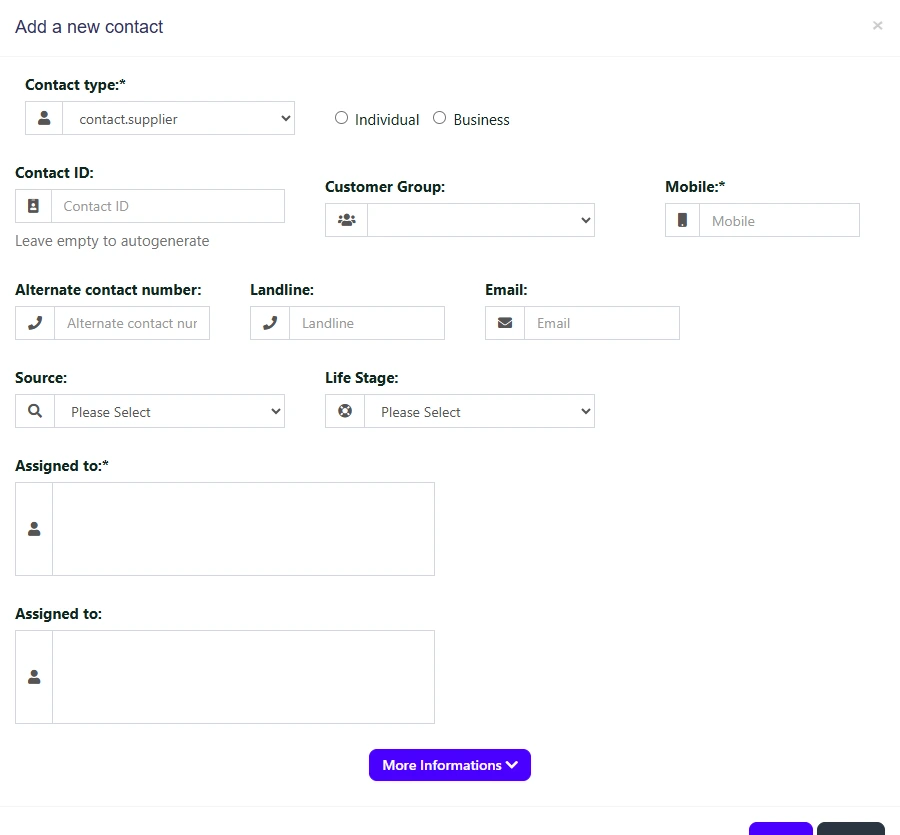
Click Add and choose Supplier. Enter the trading name and contact number.
-
Payment terms
Enter the payment term (e.g. 30 days). Opening balances come from an approved statement by the accountant.
-
Ledger
Open the supplier → Ledger and match invoices, returns and payments.
-
Same supplier everywhere
Use the same supplier on orders, invoices and returns.
Fields and buttons
| Field or button | When to use it | Result and how to check |
|---|---|---|
| Contact type | Select Supplier or the combined type when the party is also a customer | The contact becomes available in purchasing and supplier reports according to type. |
| Business name and contact ID | Search existing contacts before adding a similar name | Avoiding duplicates keeps the supplier statement together. |
| Payment term | Enter the period and interval agreed with the supplier | Verify the actual due date on the purchase invoice. |
| Opening balance | Use at initial migration after statement reconciliation | Document the carried balance as an opening entry. Enter new-period invoices through purchasing. |
| Supplier statement | Open the statement after saving and locate purchases, payments and returns | Verify the contact identity, totals and open amounts from one record. |
Worked example
An oil supplier with 30-day terms
Set 30-day terms for the sample oil supplier. A KWD 120.000 invoice and KWD 40.000 payment leave KWD 80.000 on the invoice if there are no other movements or opening balance.
From ChatGPT or Claude
Once KEMET is connected to your assistant, copy and send this request:
Add a new supplier and show supplier balances.
The assistant reads data right away. Any change is shown to you in KEMET for approval before it runs, within your account permissions only.
Tools the assistant uses here
restaurant_propose_create_supplierrestaurant_propose_update_supplier_identityrestaurant_native_purchase_supplier_balance_summary
Verify the result
- Each related document names the same supplier.
- Supplier ledger reconciles for the same period and branch.
Common problems
Supplier is missing
Check the contact type filter and whether the role has access to all suppliers or only its own suppliers.
An old bill inflated the opening balance
Check the migration date and match the invoice against items already included in the approved opening balance before correcting it.
For: Branch manager Accountant Purchasing and stock
Screens and buttons depend on your account permissions and branches. Images show KEMET with training data.