
Record a purchase invoice and its payment
Enter goods, costs and supplier invoice details, then review how receipt and payment affect stock and accounts.
Steps
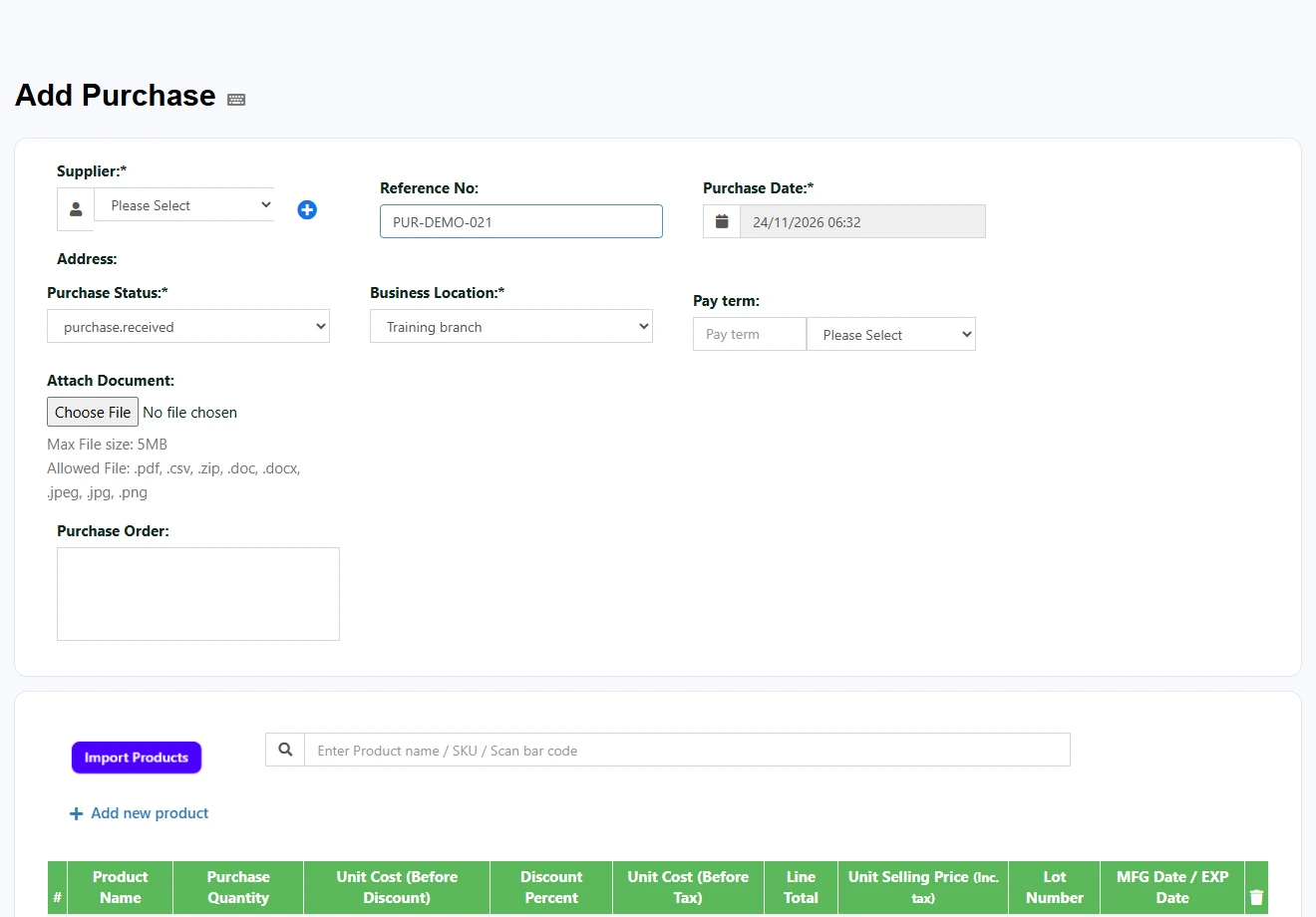
-
Open Add purchase
In Purchases → Add purchase choose supplier, branch, date and the supplier's invoice reference.
-
Choose the status
Choose Received for goods that actually arrived. Leave goods in transit until they arrive.
-
Enter the lines
For each item enter quantity, unit, cost and discount. If enabled, enter lot and expiry. Check the total.
-
Record payment if paid
If you paid, enter the amount and method. If not, leave the balance due.
-
Check after saving
Open the purchase list to see receipt and payment status, and check branch stock.
Fields and buttons
| Field or button | When to use it | Result and how to check |
|---|---|---|
| Supplier, branch and reference | Select supplier and receiving branch and enter vendor document reference. | Reconcile supplier ledger, purchases and stock history using the reference. |
| Purchase status | Use received status for actual goods. Select the appropriate status for goods still pending. | Stock receipt and balance follow the received quantity and status. |
| Purchase unit and lot | Use the correct purchase unit and record lot or expiry when enabled. | For two cases of 12, verify 24 pieces received in stock history. |
| Cost, discount and tax | Match line costs, charges and final total to the supplier document. | Document and stock values can be traced to source lines and receipt configuration. |
| Payment and account | Record payment and its account for actual tender according to permissions. | A KWD 135.000 purchase with KWD 50.000 paid leaves KWD 85.000 due in this example. |
Worked example
An ingredient invoice with a part payment
You received KWD 135.000 of ingredients and paid KWD 50.000. KWD 85.000 remains outstanding on that bill. Stock receipt and payment are tracked individually.
From ChatGPT or Claude
Once KEMET is connected to your assistant, copy and send this request:
Record a purchase invoice from this supplier with these items and show it before saving.
The assistant reads data right away. Any change is shown to you in KEMET for approval before it runs, within your account permissions only.
Tools the assistant uses here
restaurant_propose_create_purchase_invoicerestaurant_propose_record_purchase_paymentrestaurant_list_purchase_invoices
Verify the result
- The total, receipt date and payment method match the supplier document.
- The intended branch records the receipt and supplier payment appears once.
Common problems
Stock did not increase on save
Check purchase status, stock tracking, location and purchase unit before entering the invoice again.
Journal is missing or uses a different account
Check account mapping, accounting access and the document posting status before creating a manual journal.
For: Branch manager Accountant Purchasing and stock
Screens and buttons depend on your account permissions and branches. Images show KEMET with training data.