
Request raw materials for purchase
Record branch requirements, quantities and need-by date, then follow purchase order and receipt as separate documents.
Steps
-
Open purchase requisitions
In Purchases open Purchase requisitions and check open ones before creating new.
-
Request details
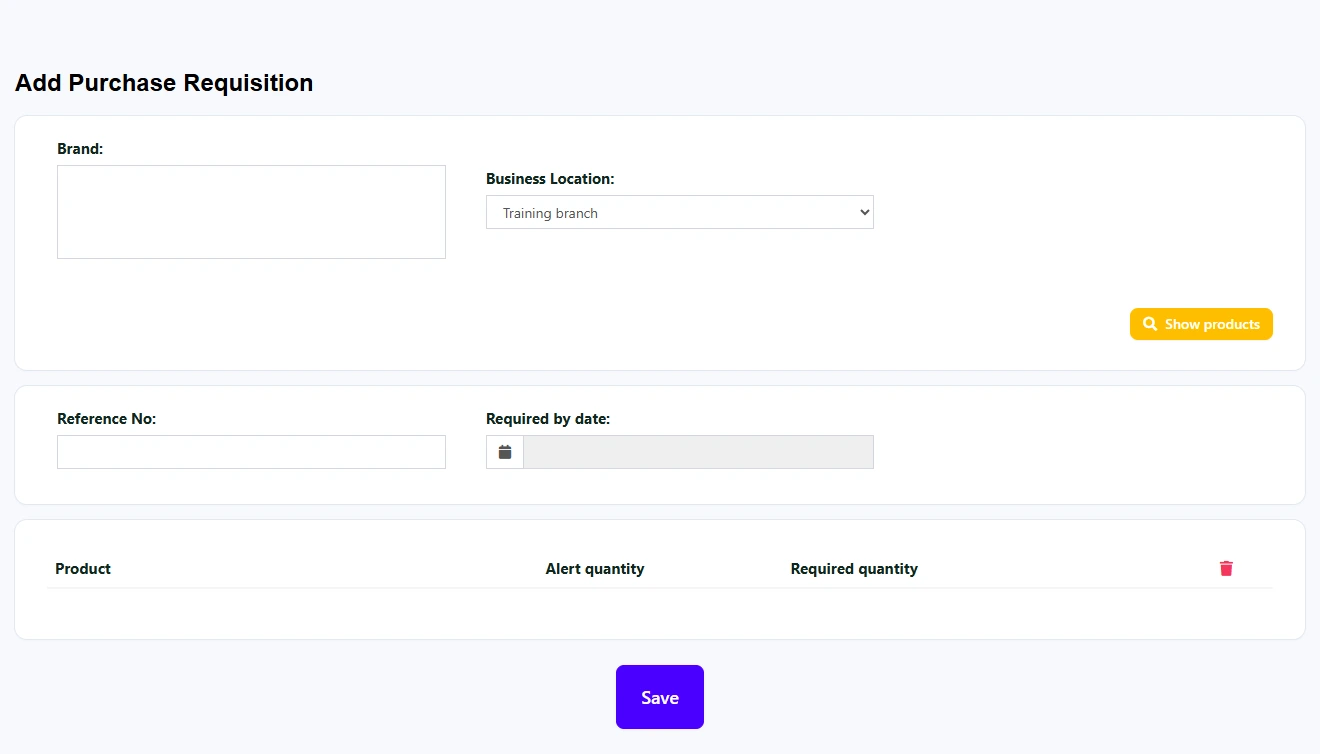
Choose the branch and enter a reference and required-by date.
-
Items and quantities
Choose each item and quantity in the purchase unit, compare with current stock and save.
-
Follow it through
Open the request and follow the purchase order or invoice until receipt.
Fields and buttons
| Field or button | When to use it | Result and how to check |
|---|---|---|
| Branch and reference | Identify the location needing items and enter an internal reference if used. | Purchasing can identify the branch requesting supplies. |
| Required by date | Specify the deadline for receiving the goods before service requires them. | Follow the supplier order and its receipt window. |
| Category and brand | Use filters to find the intended raw materials. | Verify selected products by name and code before entering quantities. |
| Requested quantity | Enter the requirement after checking available and inbound stock in the correct unit. | The request records demand. Stock changes follow actual receipt. |
Worked example
Need-by date before the weekend
Training example. The branch expects to need 18 kg of chicken on Thursday and has 6 kg usable. Request 12 kg after checking inbound stock and the purchasing unit.
From ChatGPT or Claude
Once KEMET is connected to your assistant, copy and send this request:
Show open purchase requisitions in my branch and the requested items.
The assistant reads data right away. Any change is shown to you in KEMET for approval before it runs, within your account permissions only.
Tools the assistant uses here
restaurant_list_purchase_requisition_documentsrestaurant_list_purchase_requisition_lines
Verify the result
- Branch, required date and quantities are visible on the requisition.
- Physical stock is verified from the source receipt document.
Common problems
Purchase Requisitions is unavailable
Check feature enablement and branch requisition permissions. Purchase Orders have their own settings.
Actual receipt is lower than the request
Compare requested, ordered and actually received quantities, then track the difference against the source documents.
For: Purchasing and stock Branch manager Accountant
Screens and buttons depend on your account permissions and branches. Images show KEMET with training data.