
Reconcile inventory valuation with movements and accounts
Review branch quantities and movement values, then identify the reason for any difference before posting a correction.
Steps
-
See quantity and value
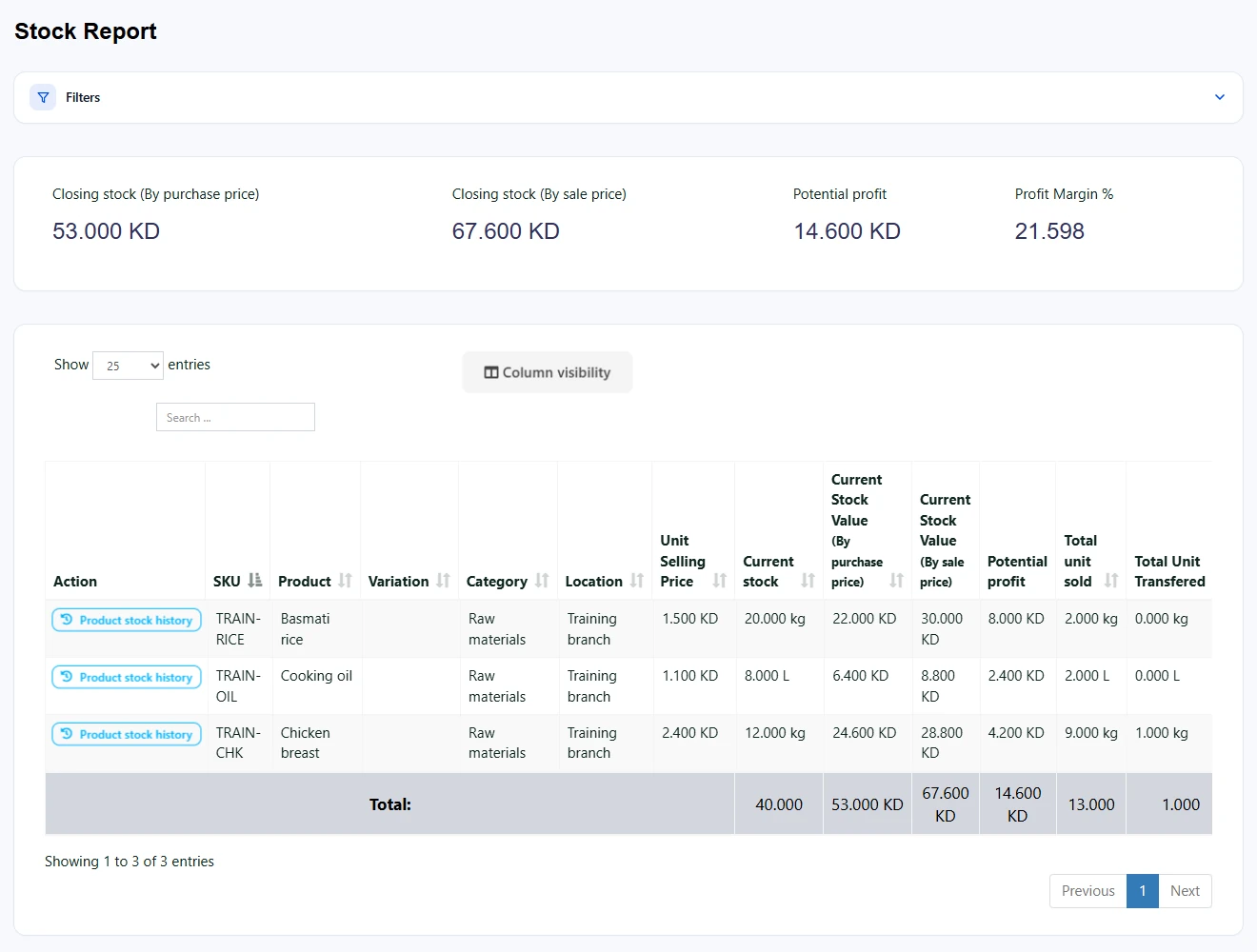
In Reports → Stock report choose the branch and item. Value at purchase price differs from value at selling price.
-
Open item movements
Open Product stock history. Each line shows the quantity and its document.
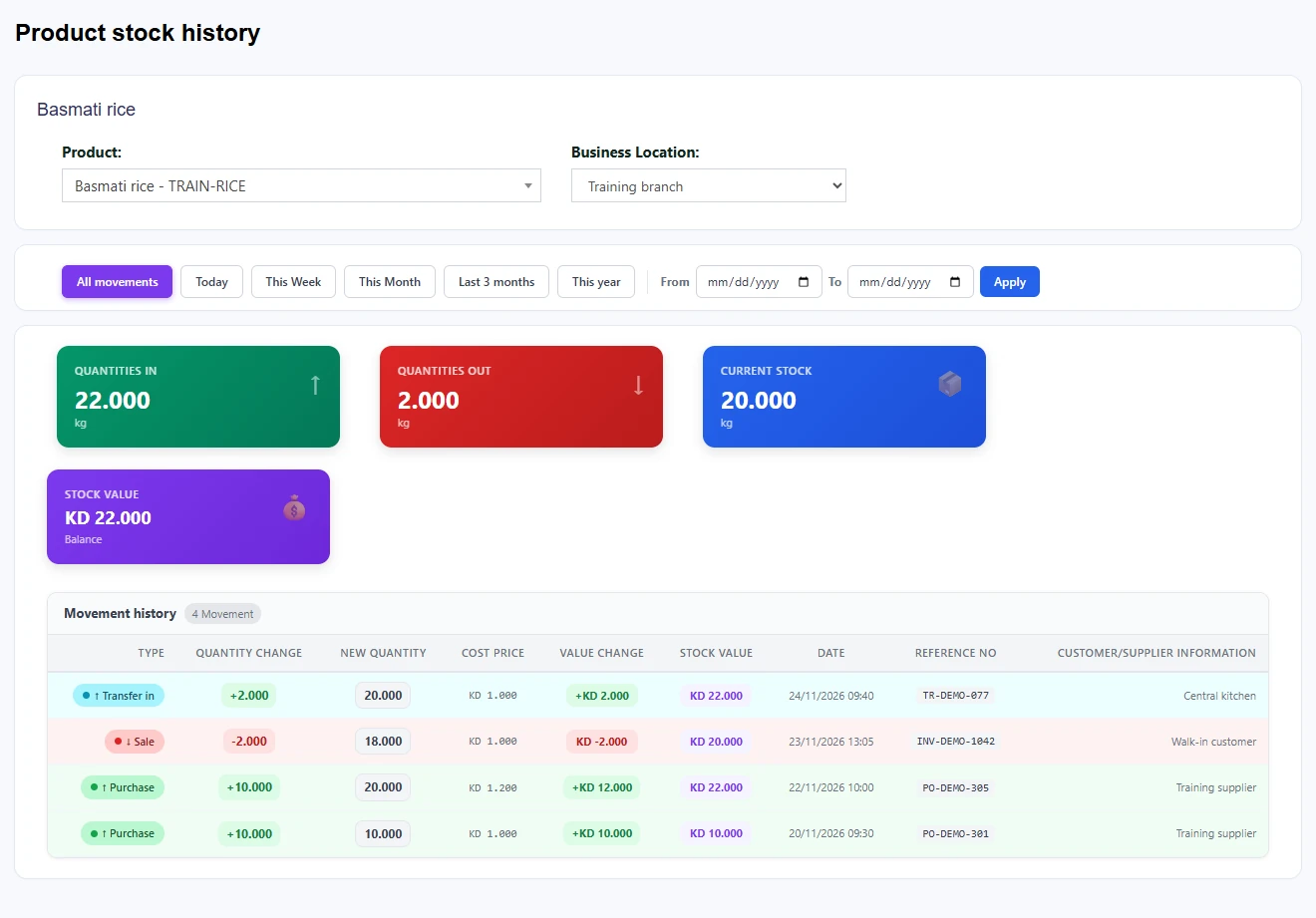
Product stock history: each receipt, sale and transfer with quantity, cost, running value and document numberView full size -
Match document and entry
Open the document (receipt, production, transfer) and compare with the line in the inventory ledger.
-
Find the difference
Start from the opening balance. Look for negative stock, unknown cost, goods in transit or an entry in another period.
-
Correct and re-check
Correct the document that caused it, then rerun movements and ledger for the same period.
Fields and buttons
| Field or button | When to use it | Result and how to check |
|---|---|---|
| Cutoff date | Set the end of the day being reconciled | Use the same cutoff for stock and journals. |
| Branch and item | Select the branch and verify the item unit and lot | Compare the same unit and a single location. |
| Stock movements | Open item history when quantities differ | Trace receipts, issues, transfers and returns by reference. |
| Open lot cost | Check the open lot's source, date and value | Review unproved value against the originating document before adjustment. |
| Branch inventory accounts | Match lot valuation to the mapped ledger accounts | Reconcile raw and prepared stock separately when mapped separately and trace differences to the source. |
Worked example
Valuing 20 units from two lots
Ten units at KWD 1.000 and ten at KWD 1.200 total KWD 22.000. Check the same branch, date and inventory unit, then match the receipts to the mapped inventory account.
From ChatGPT or Claude
Once KEMET is connected to your assistant, copy and send this request:
Show my branch inventory value and compare it with inventory accounting entries.
The assistant reads data right away. Any change is shown to you in KEMET for approval before it runs, within your account permissions only.
Tools the assistant uses here
restaurant_native_reports_inventory_valuationrestaurant_list_inventory_posting_eventsrestaurant_report_inventory_posting_controls
Verify the result
- Quantity agrees or each difference has a recorded explanation.
- Valuation can be traced and is distinct from expected sale value.
Common problems
Quantity agrees but value differs
Check cost basis, account and period. Isolate unknown costs and review source evidence before assigning any value.
Some stock is still in transit
Match dispatch, receipt and any configured transit account. Compare the source and destination branches at their actual workflow stages.
For: Restaurant owner Accountant Branch manager
Screens and buttons depend on your account permissions and branches. Images show KEMET with training data.