
Print Agent and printer routing
The KEMET print agent: receipts and kitchen tickets on your existing printers
A small program on a Windows machine in the branch connects cloud KEMET to receipt and kitchen printers, with routing per station and tracking for every print job.
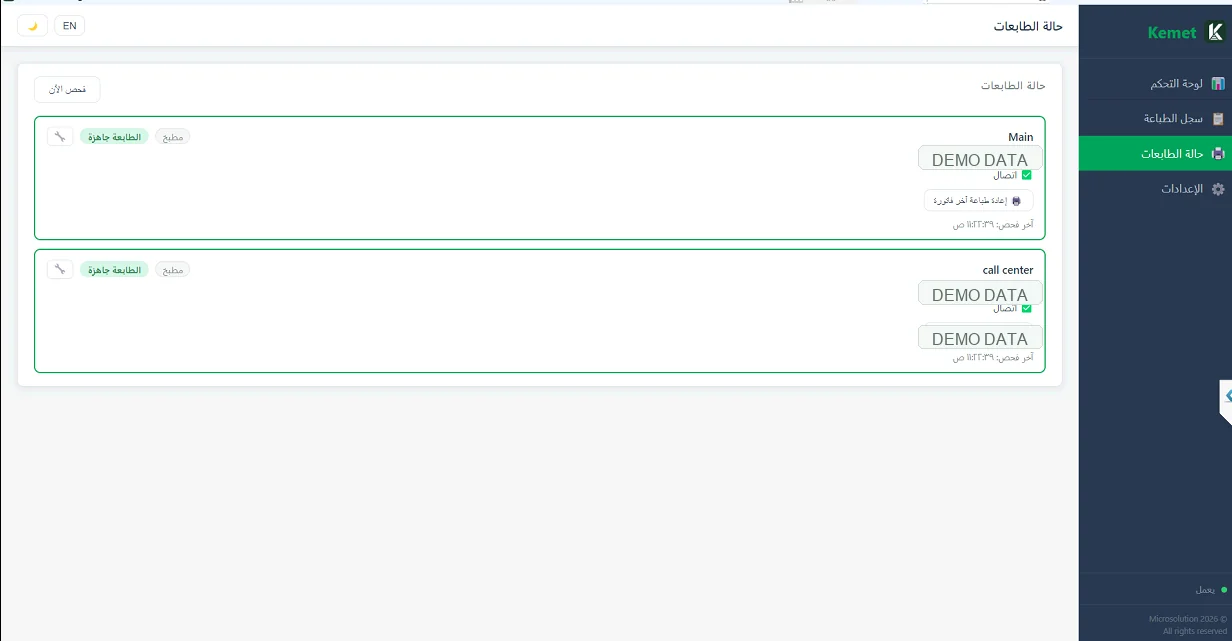
A cloud system needs a safe way to reach the printers inside a restaurant. The print agent does that: it receives print jobs from KEMET and sends them to the cashier printer and station printers, whether USB or network.
Install and link
Install the agent on a Windows machine in the branch, link it to the correct branch, and prove a test job reaches the intended printer before enabling receipts and kitchen tickets.
Register printers
Register the cashier printer and kitchen printers in the branch with their connection type, and run a test print on each.
Routing
Choose which printer receives each event: the guest receipt or a station ticket, by branch, source and order type.
Troubleshooting
When printing is late or duplicated, trace the job by its number to see whether the agent connection, the printer or the routing rule is at fault, before resending.
How to start in KEMET
- Prepare a Windows machine that stays on in the branch
- Install the print agent and link it to the branch
- Register printers and run test prints
- Set routing, then enable printing for real orders
An example from a restaurant
A branch has a USB receipt printer at the till and two network printers in the kitchen. One agent on the cashier PC receives all jobs and routes them; when the grill printer runs out of paper, its job shows as stalled and is reprinted.
Common questions
Do I need special printers?
Common thermal printers on USB or network usually work. We review your models before you start.
Can one agent handle several printers?
Yes. One agent in the branch serves the cashier printer and the station printers.
What if the agent’s computer is turned off?
Printing stops until the connection returns, and job statuses show what to reprint.
Want to see it on your restaurant?
We show you the system on your own restaurant and help you choose the right plan and devices for your branches.