
Reconcile a delivery channel statement
Use the channel statement and order references to explain gross receivable, commission and bank payout.
Steps
-
Choose the channel and branch
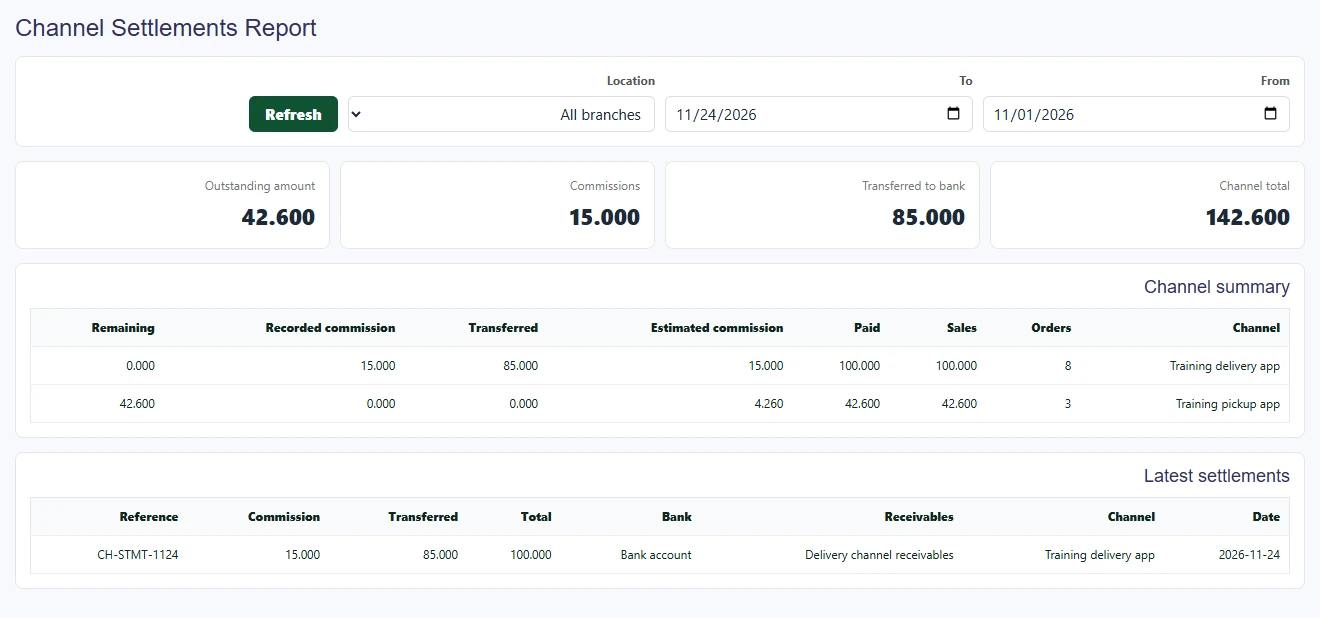
Open channel settlements and choose the channel and branch. Have the channel statement and bank deposit ready.
-
Compare the statement with orders
Check the orders and returns on the statement. If it covers several branches, agree the split with accounting.
-
Enter commission and net
Enter the commission, fees and statement reference, and choose the bank account. The net must equal the deposit.
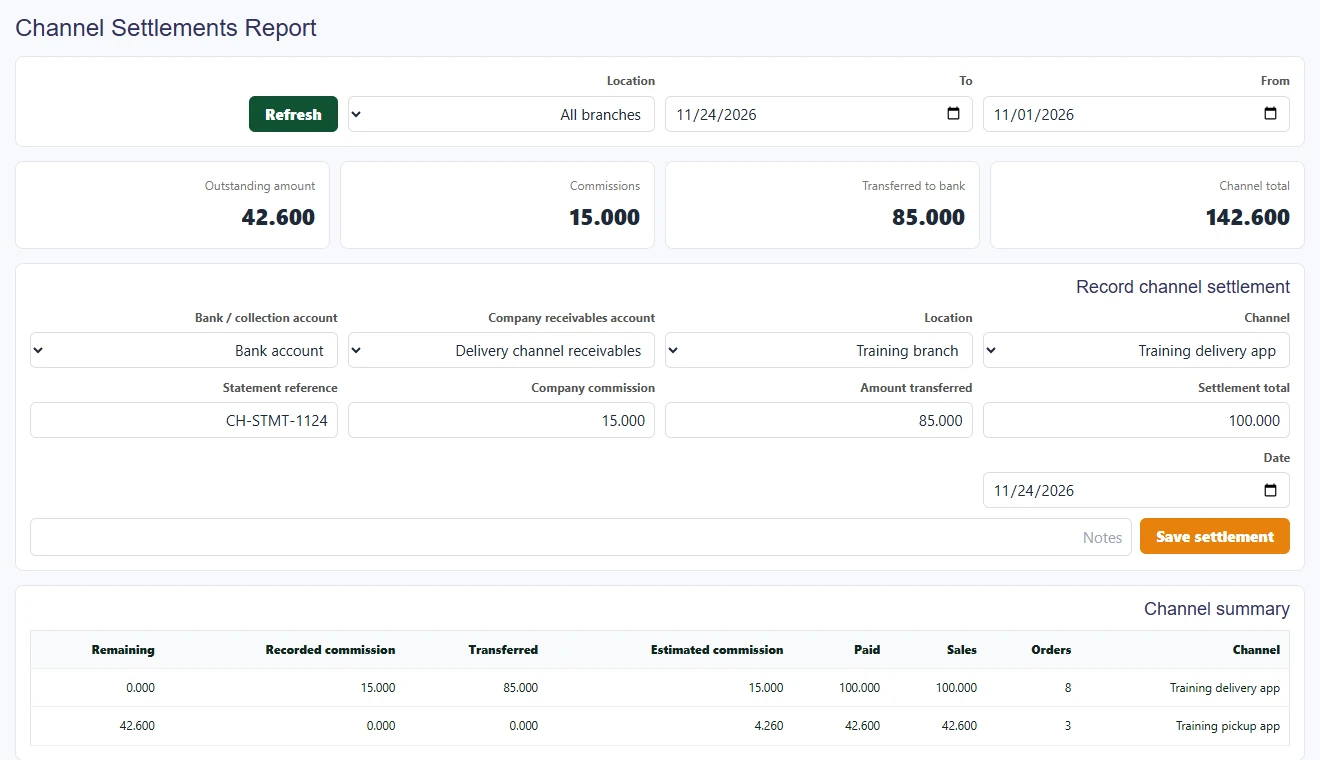
Channel statement settlement: choose the channel and branch, then enter gross, transferred, commission and the statement referenceView full size -
Post and check the entry
Post the settlement. Open the entry and check the channel, commission and bank accounts.
Fields and buttons
| Field or button | When to use it | Result and how to check |
|---|---|---|
| Provider and period | Open the provider statement for the right period and branch | Review each payout against its own provider and ledger path. |
| Payout reference | Search settlements for the statement reference before entering anything | A unique statement reference helps spot prior settlement. |
| Gross collections and fees | Reconcile gross, fees and refunds included in the payout | Gross 100 less fees 15 yields net 85 if there are no other deductions or refunds. |
| Net payout and bank account | Match it to the bank deposit and use the mapped account | Investigate differences before posting, especially refunds and combined payouts. |
| Linked journal | Review settlement status and journal reference after posting | Trace the provider clearing, fee and bank accounts under the approved mapping. |
Worked example
Gross KWD 100 and net KWD 85
Training example. A statement with KWD 100.000 gross and KWD 15.000 commission produces an KWD 85.000 deposit when there are no other adjustments. Match the net to the bank.
From ChatGPT or Claude
Once KEMET is connected to your assistant, copy and send this request:
Show recent delivery-platform settlements and the net amount after fees.
The assistant reads data right away. Any change is shown to you in KEMET for approval before it runs, within your account permissions only.
Tools the assistant uses here
restaurant_list_channel_statement_reconciliationsrestaurant_report_channel_reconciliation_economicsrestaurant_list_channel_contract_cost_settings
Verify the result
- Bank net ties to the statement and the channel account shows one settlement.
- Commission is explained in the journal and traceable to its source.
Common problems
Net channel payout differs from the bank
Check clearing date, returns, commission and aggregated statements. Verify the difference against evidence before posting.
Reference already used
Open the existing settlement and compare period, channel and deposit before entering anything new.
For: Accountant Branch manager Restaurant owner
Screens and buttons depend on your account permissions and branches. Images show KEMET with training data.