
Reconcile a cash handover and check settlement status
Compare counted cash and terminal totals with the settlement log. The transfer panel is hidden in the current Collection Management interface.
Steps
-
Find the shift
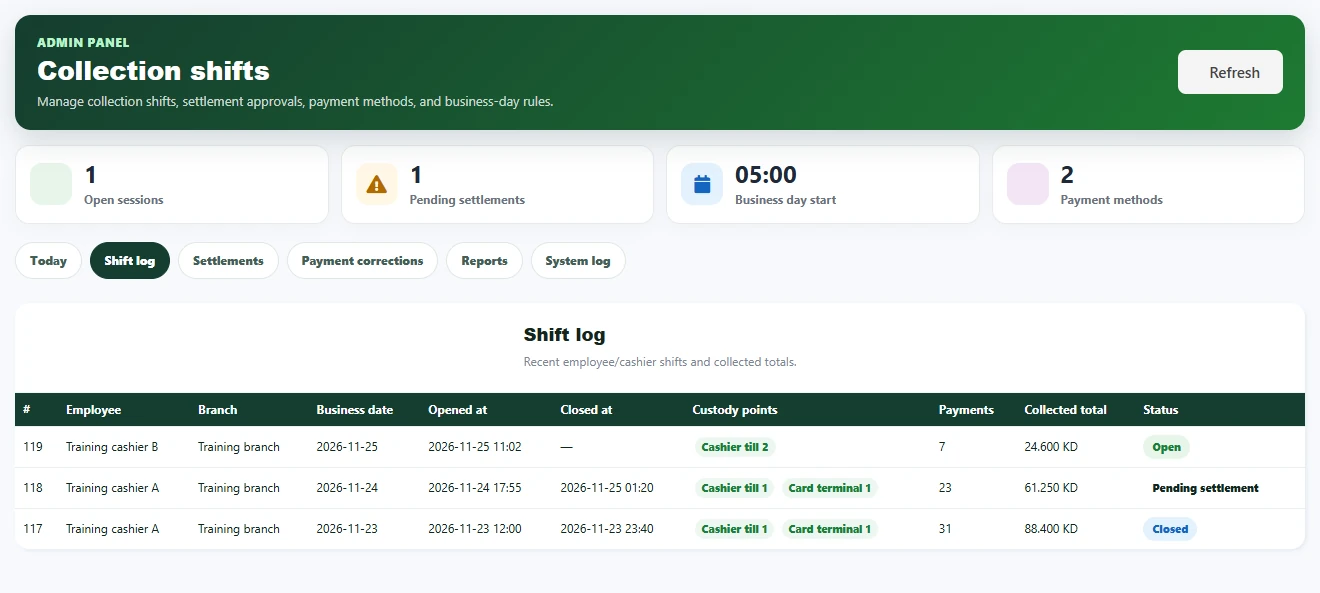
In Collection management → Shift log, search by employee, branch and day. You see the total collected.
-
Hand over cash and keep the reference
Count the cash with the recipient and keep the handover reference. In-system transfer entry is hidden for now, so ask your manager for the approved method.
-
Reconcile at shift close
On the cashier shift-close screen enter counted cash and the card terminal total.
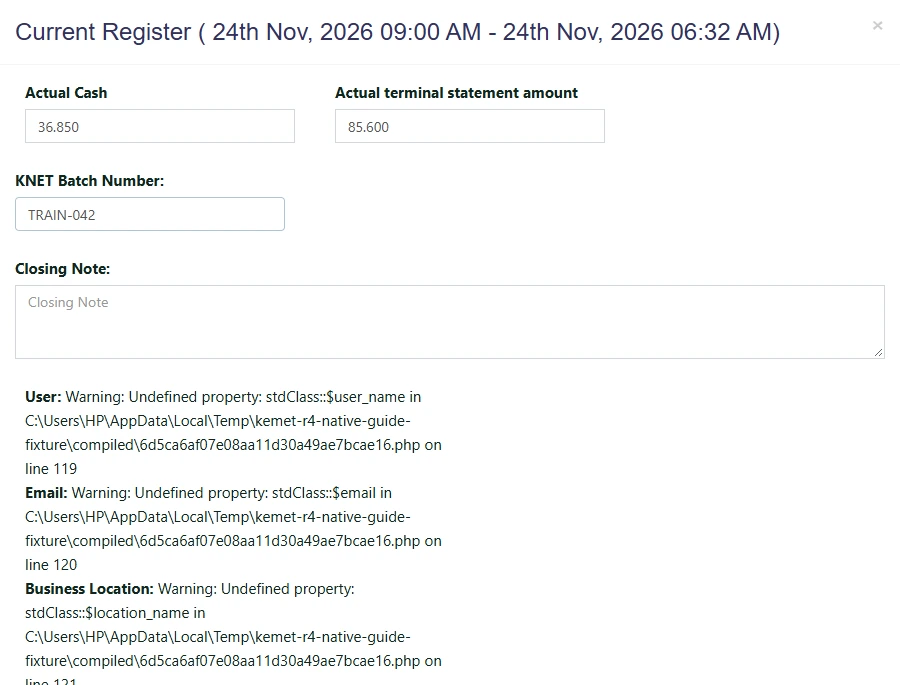
Cashier shift close dialog: counted cash and payment terminal totalView full size -
Follow the settlement
Under Settlements see expected, actual and the difference. If it is pending, give the supervisor its reference.
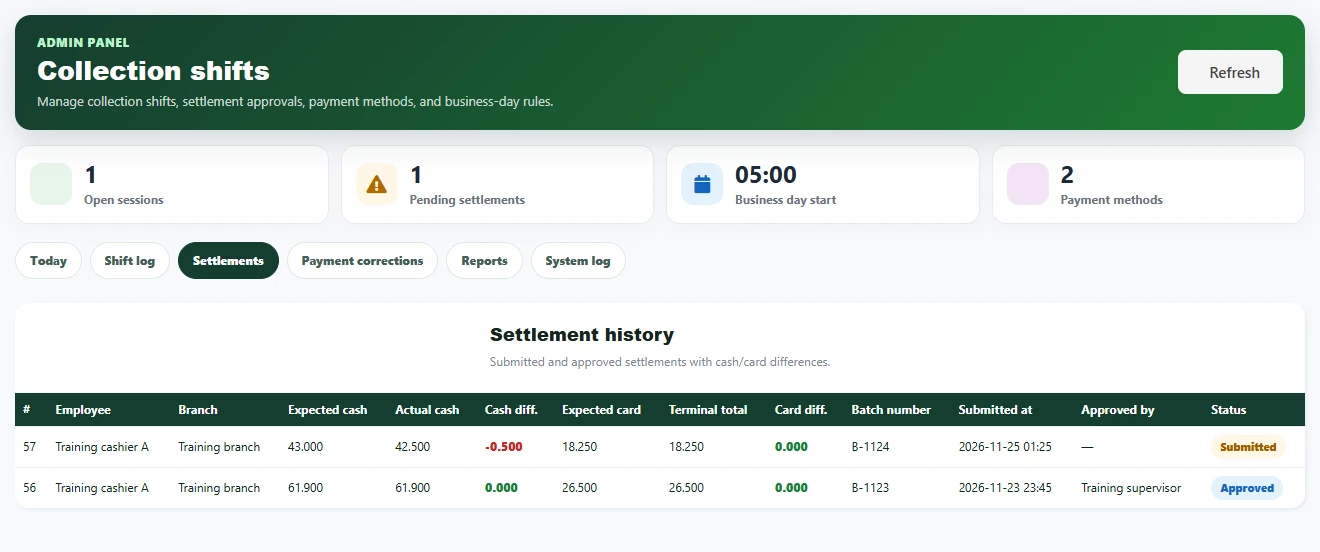
Settlements: expected and actual cash, the difference, terminal total and approval statusView full size
Fields and buttons
| Field or button | When to use it | Result and how to check |
|---|---|---|
| Shift and branch | Match cashier, business date and collection total. | Identifies the shift being reconciled. |
| Actual handover | Count with the recipient and retain the branch handover record. | The transfer tab is hidden in the current interface. Confirm the available path with the manager. |
| Cash and terminal totals | Compare shift close with physical cash and terminal report. | Trace each tender variance against its own invoices and payments. |
| Settlement variance | Review expected, actual and variance in Settlements. | If expected cash is KWD 50.000 and counted cash is KWD 49.000, investigate the KWD 1.000 variance. |
| Settlement status | Once the record appears, verify status and terminal batch reference. | Follow up with the shift supervisor by the existing reference. |
Worked example
Expected and counted cash differ
Training example. Expected cash is KWD 43.000 and the count is KWD 42.500. Enter the actual amount and investigate the KWD 0.500 difference. If approval is required, follow the submitted settlement from the supervisor account.
From ChatGPT or Claude
Once KEMET is connected to your assistant, copy and send this request:
Show cash handovers from my branch and any settlement differences.
The assistant reads data right away. Any change is shown to you in KEMET for approval before it runs, within your account permissions only.
Tools the assistant uses here
restaurant_list_collection_handoversrestaurant_report_collection_differencesrestaurant_list_collection_settlement_control_register
Verify the result
- The physical handover reference agrees with the branch and shift, and the supervisor can verify the status of any recorded transfer.
- Expected, actual and difference amounts appear on the same session with its approval state.
Common problems
Collection handover is missing from the management screen
The transfer tab is hidden in the current interface. Match the physical handover record and shift ID with the supervisor, and confirm the state of any previously recorded transfer before making another entry.
The settlement is still pending
Check its status and reference in Settlements and reconcile branch, cash and terminal records. Send the same reference to the authorized shift or settlement supervisor.
For: Branch manager Cashier Driver Accountant
Screens and buttons depend on your account permissions and branches. Images show KEMET with training data.