
Close a cashier shift and reconcile the till
Match cash and terminal totals to the shift before handover, and review variances with the responsible person.
Steps
-
Review the shift
In POS open Close shift. You see opening float, collections, returns and expenses.
-
Count cash and enter card
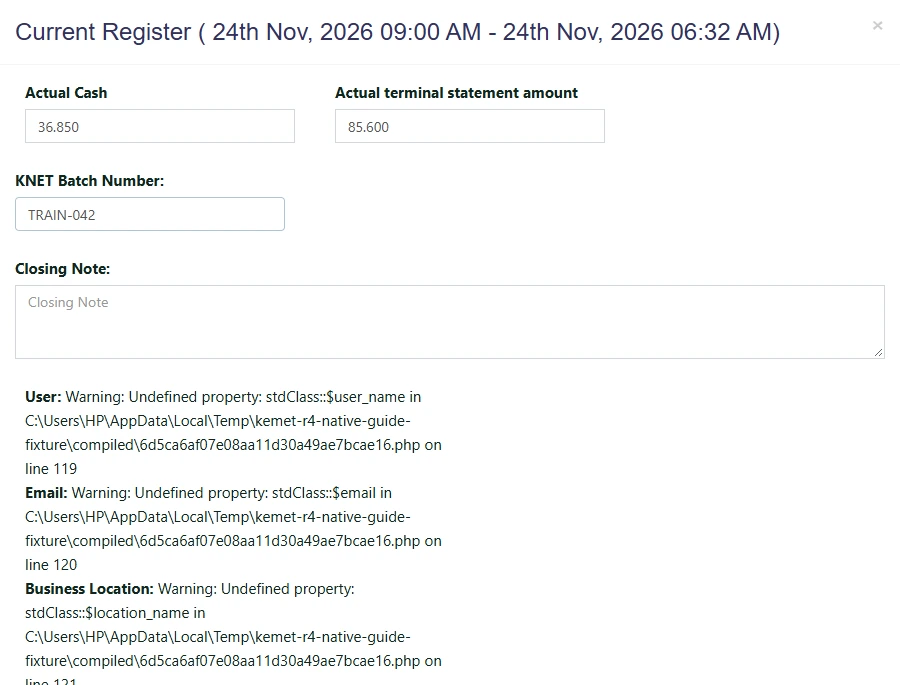
Count the cash and enter it, and enter the card total from the terminal report for this shift.
-
Check differences
If there is a difference, check invoices, returns and expenses, and add a note.
-
Close the shift
Confirm and keep the summary. The manager reviews differences before day close.
Fields and buttons
| Field or button | When to use it | Result and how to check |
|---|---|---|
| Shift reference and branch | Confirm branch and shift and review open orders first. | Match shift start and end to the terminal statement. |
| Opening float | Check cash recorded when the shift was opened. | Reconcile expected cash using opening float, receipts, refunds and recorded withdrawals. |
| Actual cash | Count physical cash and check handovers or withdrawals affecting custody. | Training example: KWD 20.000 float plus KWD 9.000 received minus KWD 3.000 refunded gives KWD 26.000 before other movements. |
| Actual card total | Use the terminal statement for that shift and enter its actual total when required. | Trace terminal discrepancies against payments recorded on that tender. |
| Close shift | Review each variance and add the available explanation before confirming closure. | Verify closed status and follow settlement and closing reference as permitted. |
Worked example
Opening till of KWD 20
Training example. KWD 20.000 opening cash plus KWD 9.000 collected minus KWD 3.000 refunded gives KWD 26.000 expected cash if there are no other till movements. Reconcile card totals separately to the terminal.
From ChatGPT or Claude
Once KEMET is connected to your assistant, copy and send this request:
Show my drawer summary and submit the drawer count for settlement.
The assistant reads data right away. Any change is shown to you in KEMET for approval before it runs, within your account permissions only.
Tools the assistant uses here
restaurant_get_register_method_totalsrestaurant_propose_submit_pos_register_settlementrestaurant_native_shift_shift_summary
Verify the result
- The shift is closed and actual cash and terminal totals are recorded.
- The manager can trace any variance to a payment, document or closure note.
Common problems
Shift closure asks for actual card total
Take the statement for the shift and branch and enter its actual total. Check for terminal refunds in the same interval.
Gateway proceeds are absent from the cash count
Match gateway proceeds through provider reconciliation and the bank statement. Use actual till cash for the count.
For: Cashier Branch manager Accountant
Screens and buttons depend on your account permissions and branches. Images show KEMET with training data.