
Record a stock adjustment for an item and lot
Use the adjustment form to document a verified issue from stock, then trace quantity, cost and reason on the movement.
Steps
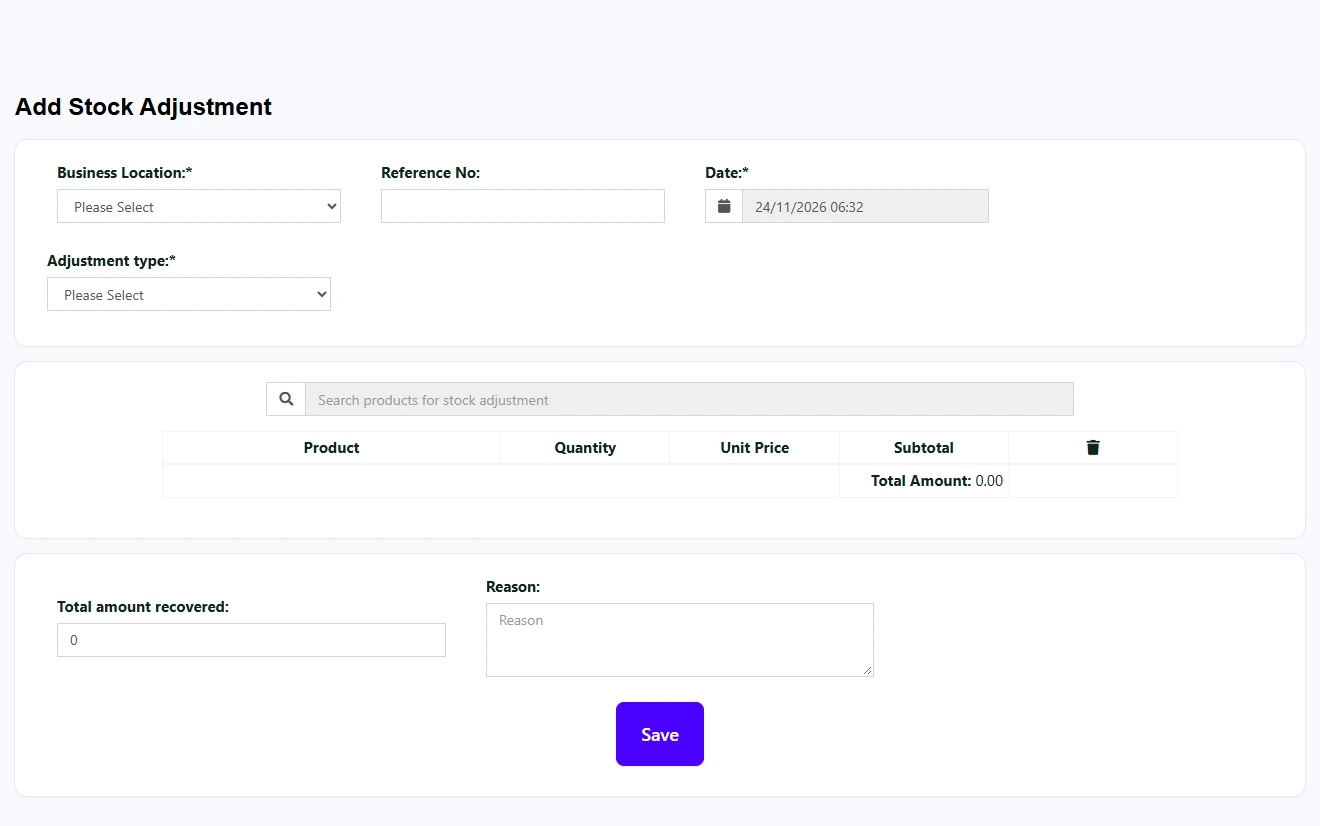
-
Open stock adjustment
In Inventory → Add adjustment choose the branch and enter a reference.
-
Date and type
Choose the date and type: normal or abnormal.
-
Item, quantity and reason
Add item, quantity and batch, check the cost and enter the reason.
-
Save and check
After saving see the adjustment list and the item's movements.
Fields and buttons
| Field or button | When to use it | Result and how to check |
|---|---|---|
| Branch, date and reference | Choose the affected branch, check the date and enter a reference when available. | Use the reference to reconcile lot movements and reporting period. |
| Adjustment type | Choose Normal or Abnormal based on restaurant policy. | Type and reason remain visible for document review. |
| Quantity and unit price | Use the item's unit and lot, enter actual quantity and inspect the displayed value. | Example 2 kg × KWD 1.400 = KWD 2.800 adjustment value. |
| Total amount recovered | Use when the adjustment has an actual recovered amount, supported by documentation. | Review the document and configured write-off or adjustment posting. |
| Reason | Write a specific reason, such as a verified write-off from a lot. | Trace the posting from its movement reference. |
Worked example
Raw stock write-off
Training example. The recorded balance is 12 kg and 2 kg of damaged stock were removed at a supported cost of KWD 1.400 per kg. Check a 2 kg issue and KWD 2.800 value in the source document, if there are no other movements.
From ChatGPT or Claude
Once KEMET is connected to your assistant, copy and send this request:
Record documented inventory loss for this item and show recent adjustments.
The assistant reads data right away. Any change is shown to you in KEMET for approval before it runs, within your account permissions only.
Tools the assistant uses here
restaurant_propose_record_inventory_lossrestaurant_list_branch_adjustment_documentsrestaurant_list_adjusted_stock_document_lines
Verify the result
- Document, stock lot and branch match the physical issue.
- The linked stock journal can be traced at the applicable mapped value when configured.
Common problems
You need to record a count surplus
Use the count workflow to approve the actual gain under inventory settings. Review stock history and lots before choosing an issue adjustment.
An item is missing or the balance differs
Check form branch, item assignment, lot and unit. Inspect movement history before saving.
For: Branch manager Accountant Kitchen team
Screens and buttons depend on your account permissions and branches. Images show KEMET with training data.