
QR menu and ordering
A live QR menu: photos, prices and availability updated from the same system
A digital menu per branch with photos, prices and modifiers, updated at once when a price changes or an item runs out, and usable for ordering at the table.
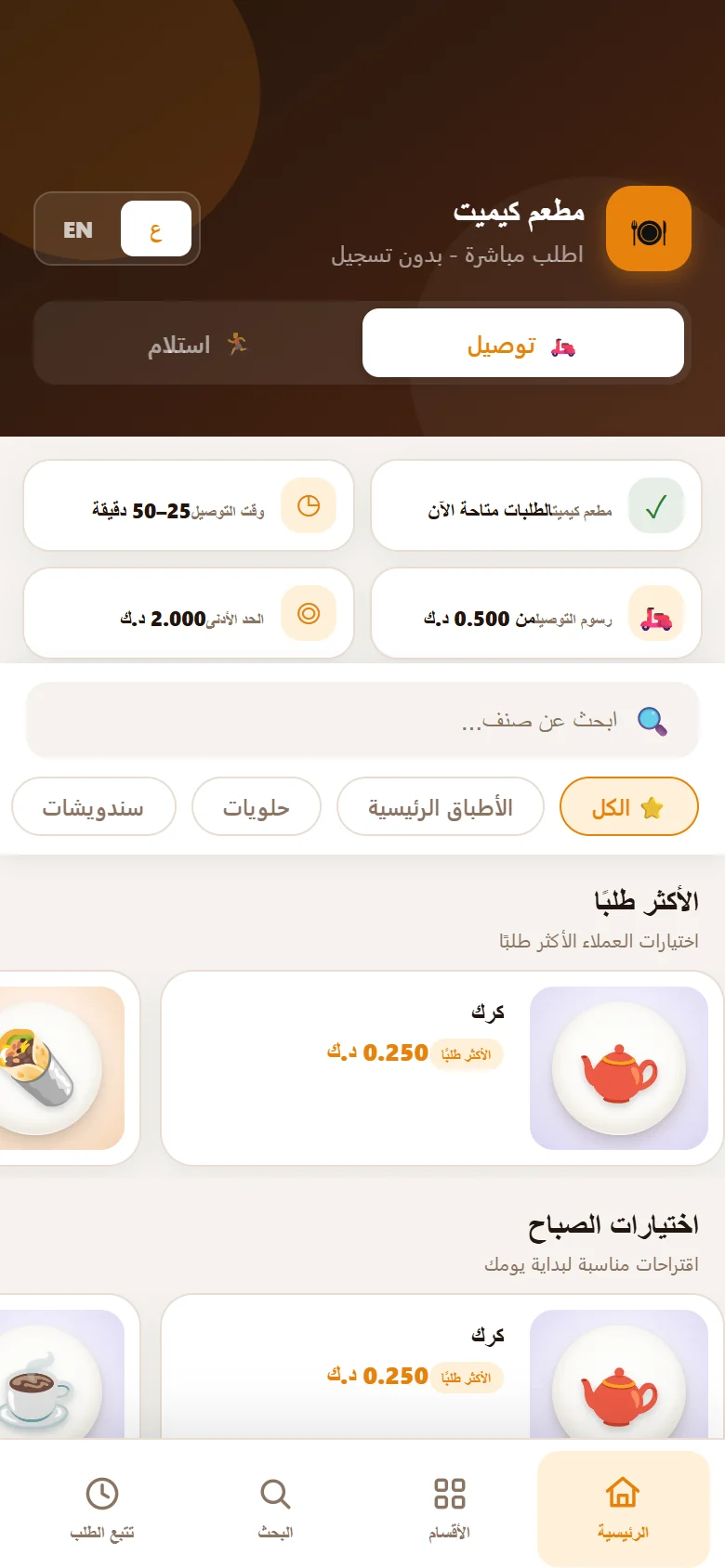
A QR menu made as a PDF needs manual editing with every change and often shows old prices or items that ran out. In KEMET the QR menu comes from the same menu the cashier uses, so it stays correct.
From the same menu
Categories, items, photos, prices and modifiers are the same as at the till, so any edit appears in the QR menu at once.
A menu per branch
If prices or items differ between branches, each branch’s code shows its correct menu.
Availability and hours
Pause an item that ran out or set hours for some items, and it disappears or shows as unavailable to guests.
From browsing to ordering
Guests browse the menu and order from their table code, and the team reviews the request before it goes to the kitchen.
How to start in KEMET
- Review item photos and descriptions in the menu
- Set each branch’s menu and prices
- Generate QR codes and print them for tables
- Change a price and check it appears in the QR menu
An example from a restaurant
A restaurant raises the price of two dishes after meat costs go up. It edits the price once in the menu, and it appears at the till, in the QR menu and on the ordering site in the same minute, with no new menus to print.
Common questions
Can the menu be in Arabic and English?
Yes. Item names and descriptions can be in both languages.
Do I need new codes when prices change?
No. The code stays the same and the menu behind it updates automatically.
Do guests see items that ran out?
No. An item paused in the branch cannot be ordered until you turn it back on.
Want to see it on your restaurant?
We show you the system on your own restaurant and help you choose the right plan and devices for your branches.