
Track lots and expiry from receipt
Record lot numbers and expiry dates at receipt so the branch can trace remaining and expired stock separately.
Steps
-
Record the lot and date
In Purchases → Add purchase, enter quantity, cost, lot number and expiry for each item.
-
Separate lots
If a delivery has two expiry dates, record them on two lines.
-
See what is left per lot
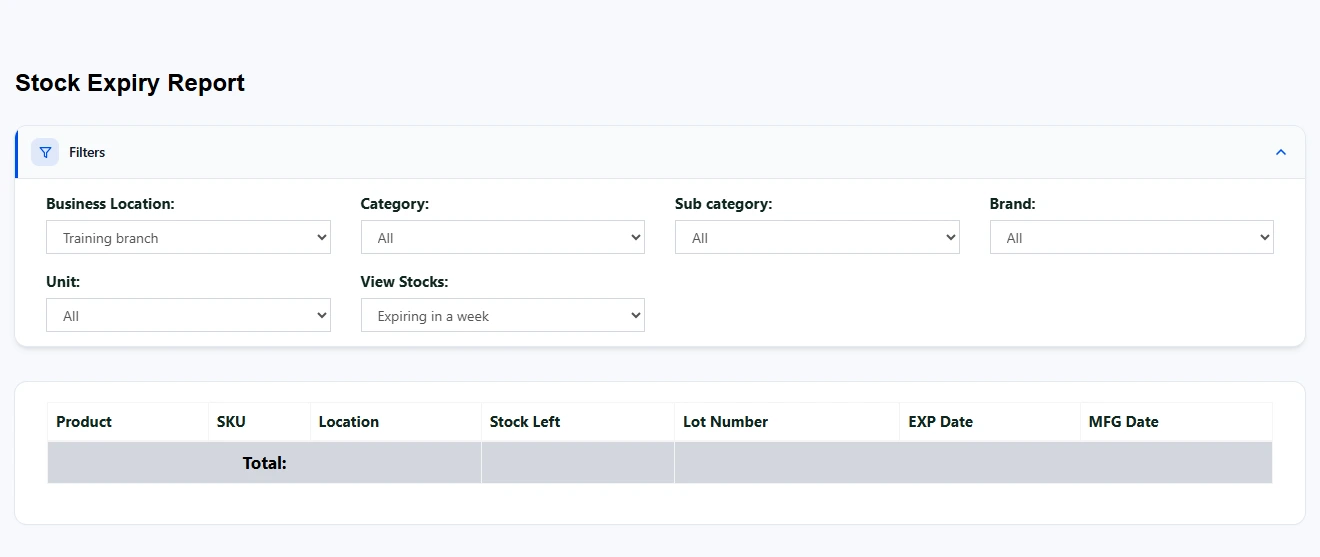
Open Reports → Lot report, or the Stock expiry report for lots nearing expiry.
-
Decide for the lot
Use the earliest expiry first. Spoiled stock is either returned to the supplier or recorded as waste.
-
Check the balance
After a return or waste, match the lot balance to the document.
Fields and buttons
| Field or button | When to use it | Result and how to check |
|---|---|---|
| Branch | Narrow the report to the stock location | Shows lots at that authorized location. |
| Item and lot | Match the label to the receipt line | Two lots of the same product may have different dates and quantities. |
| Expiry date | Compare the recorded date against label and supplier document | With permission, correct a documented data-entry error from the lot screen. |
| Remaining lot quantity | Isolate the affected stock and record waste in inventory | Check issued quantity and cost on the waste record and posted journal. |
| Item movement history | Use history when physical and reported balances differ | Trace the last receipt and issue of the same lot before correcting. |
Screen images
Worked example
Two lots of the same product
Ten packs expire on 15 December and 20 on 30 December. Total stock is 30, but each quantity retains its expiry. After returning three from the first lot, verify that seven remain in it.
From ChatGPT or Claude
Once KEMET is connected to your assistant, copy and send this request:
Show stock lots expiring within a week in my branch.
The assistant reads data right away. Any change is shown to you in KEMET for approval before it runs, within your account permissions only.
Tools the assistant uses here
restaurant_list_expiring_stock_lotsrestaurant_list_stock_lots
Verify the result
- Each lot has the receipt reference and correct expiry.
- Report balances agree with the physical lots and recorded issues.
Common problems
Lot or expiry report is missing
Check the two settings individually and confirm Stock Report access.
The system date differs from the label
Match the invoice and product label, then correct the applicable record with the appropriate permission.
For: Branch manager Kitchen team Accountant
Screens and buttons depend on your account permissions and branches. Images show KEMET with training data.