
Create and review a manual journal entry
Record an entry supported by a source document. Save it as a draft or submit it after balancing debits and credits.
Steps
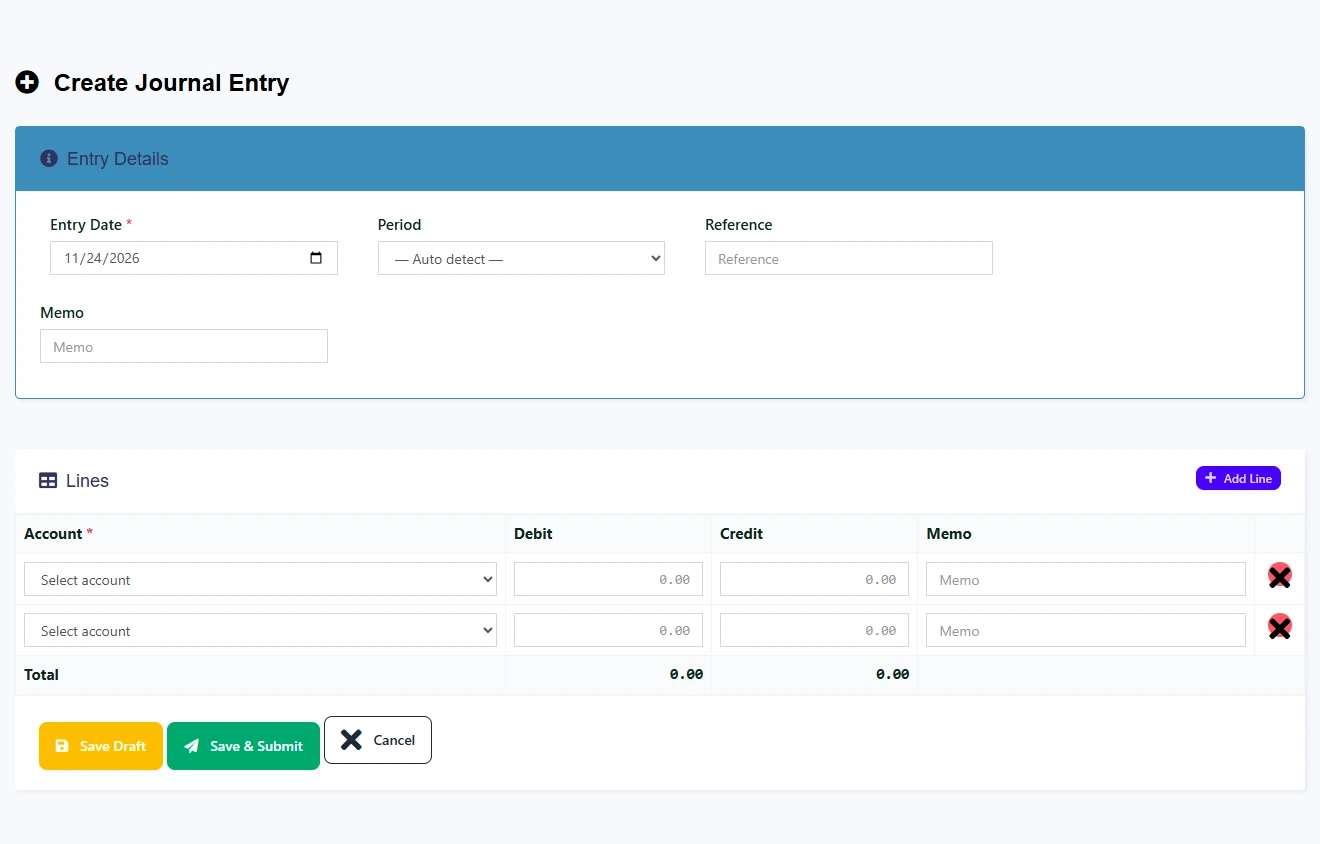
-
Open a manual journal
In Payment accounts → Create journal entry, choose the date and enter a reason and reference.
-
Enter accounts and amounts
For each line choose an account and enter the amount as debit or credit.
-
Balance both sides
Total debit must equal total credit. Compare with the source document.
-
Save or submit
Save draft while reviewing, or Save & submit for approval. Follow its status in Journal entries.
-
Correct at the source
A posted manual entry is reversed with reversal permission. If an invoice or receipt is wrong, correct that document.
Fields and buttons
| Field or button | When to use it | Result and how to check |
|---|---|---|
| Date, reference and memo | Use the correct period date and an executable source or reason reference. | Check source and period on the journal before reconciling reports. |
| Account and branch | Select the intended account and branch per line according to workflow. | Posting appears in the account report and line branch affects filtered views. |
| Debit and credit | Allocate amounts to lines with balanced totals before posting. | Review lines and accounts before approving an unbalanced entry. |
| Posting status and approval status | Check both status columns. A draft can require approval according to policy and available actions. | Check that posting status is Posted before relying on the ledger effect. |
| Reverse or correct | For a sale, return or stock entry, start from its source and use its permitted correction action. | Trace the source, journal and stock effect together by reference. |
Worked example
Reclassifying a KWD 25 expense
For training, KWD 25.000 was posted to general expenses instead of maintenance. After confirming the source, debit maintenance and credit general expenses by KWD 25.000 each. The entry changes classification without recording another payment.
From ChatGPT or Claude
Once KEMET is connected to your assistant, copy and send this request:
Prepare a manual journal to reclassify an expense and show it before approval.
The assistant reads data right away. Any change is shown to you in KEMET for approval before it runs, within your account permissions only.
Tools the assistant uses here
restaurant_propose_create_manual_journalrestaurant_propose_submit_manual_journalrestaurant_propose_approve_manual_journal
Verify the result
- The reference and memo explain why the entry exists.
- Both totals match, and the status fits the intended stage.
Common problems
The form rejects a balanced entry
Check date, accounting period, postable accounts and that each line has a single side.
The entry is missing in the ledger
Check whether it is still draft or awaiting approval and match the report date range and posting state.
For: Restaurant owner Accountant
Screens and buttons depend on your account permissions and branches. Images show KEMET with training data.