
Restaurant setup and operations
KEMET Restaurants in Saudi Arabia: cashier, kitchen and branches in the browser
Set up cashier and kitchen workflows for each branch in Saudi Arabia, and test invoicing and collection under your account’s local settings before opening.
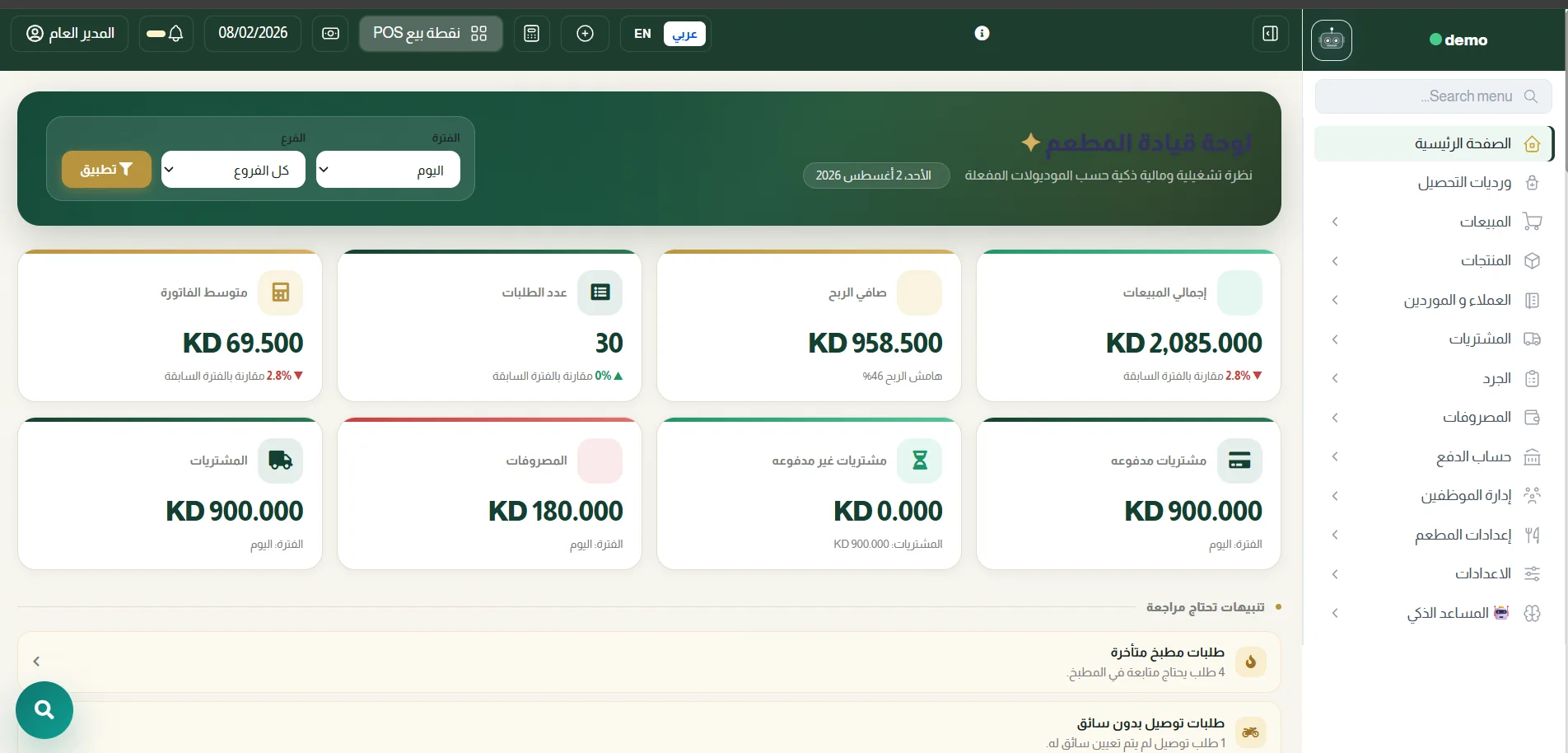
KEMET is a cloud restaurant system built in Kuwait for restaurants across the Gulf and the region. In Saudi Arabia it works with the same tools (cashier, tables, kitchen, delivery, stock and reports), with the currency and tax settings that suit your account. Multi-branch restaurants keep every branch under one account, with permissions and reports per branch.
Local settings
Accounts in this country are set up with its currency and time zone. Prices are set in Saudi riyals, along with the time zone, the business-day start and tax rates on items as they apply to your business.
Invoicing and tax
Invoice numbering and layout are set per branch, and taxes are defined at company and item level. E-invoicing requirements differ by country and activity, so review them with the KEMET team for your account before going live.
Start with a quick-service branch
Test a takeaway order with add-ons and two prep stations, keep the invoice reference, and confirm kitchen routing and printing.
Review reports against documents
Separate invoice value from actual collection, and match sale, return and payment when checking shift reports.
How to start in KEMET
- Register the account or request it from our team
- Set currency, tax and time zone
- Review local invoicing requirements with KEMET
- Run a full business day in one branch
- Open to guests, then extend to other branches
An example from a restaurant
A burger restaurant in Riyadh starts with one branch: it tests a lunch hour with takeaway and delivery orders, reviews invoices and tax with its accountant, then opens a second branch with the same setup.
Common questions
Is the system certified for e-invoicing in this country?
We do not claim a specific certification here. Review your account’s requirements, settings and available integrations with KEMET before launch.
Are screens in Arabic and English?
Yes. Screens and receipts are in Arabic and English.
How do I prepare an existing menu?
Standardise names, codes and units, then try a small sample before importing the whole menu.
How do I reach support?
On WhatsApp or through the contact form, in Arabic and English.
Want to see it on your restaurant?
We show you the system on your own restaurant and help you choose the right plan and devices for your branches.