
Restaurant management
A modern restaurant system: cloud-based, online ordering under your name, and an AI assistant that reads your numbers
KEMET is a modern cloud system for restaurants: it opens in the browser, offers table QR codes and an ordering site under your name, and connects to ChatGPT and Claude to read reports.
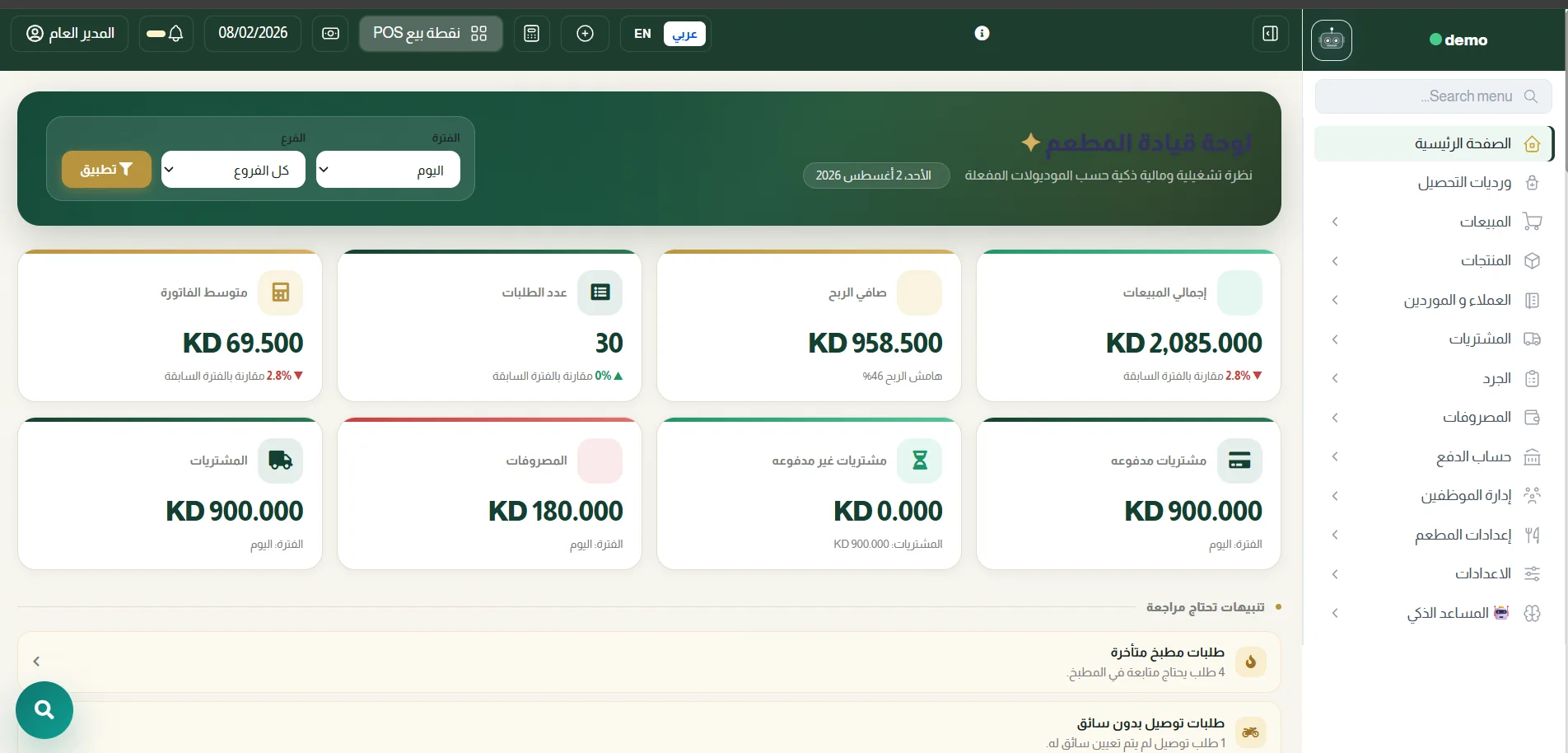
Older POS systems need dedicated hardware, installation and manual backups, and each branch is an island. A modern system should run on any device, link branches in real time, take orders from the table and the internet, and help you understand the numbers quickly.
Cloud-based, in the browser
No servers in the restaurant and no installation on every device. KEMET opens in the browser on a computer, tablet or phone, and local printers connect through the print agent.
Orders from the table and the web
Each table has a QR code that sends the guest’s order for review before the kitchen, and an ordering site under your restaurant’s name and domain, with online payment or payment on collection and order tracking.
Apps for the team
A waiter app for taking orders at the table, a driver app for pickup, delivery and collection, and a kitchen display for stations.
An AI assistant connected to the system
Your account can be connected to ChatGPT or Claude through the KEMET connector, so you can ask about branch sales or best sellers. It reads with your permissions, and any change it suggests needs your approval inside KEMET.
How to start in KEMET
- Start with the cashier and kitchen in the browser
- Enable table QR codes in one branch and test them
- Set up the ordering site under your restaurant’s name
- Connect your account to the AI assistant and ask about yesterday’s report
An example from a restaurant
In the morning a branch manager asks Claude, “Which items sold less this week?” The assistant reads the KEMET report and shows the result, then suggests pausing an item whose ingredient ran out; the manager reviews and approves it in KEMET.
Common questions
Does it work with several devices?
Yes. All devices open the same account at the same time, each user with their own permissions.
Can the AI assistant change data on its own?
No. It reads with your permissions; any change it suggests appears as a review request in KEMET and only runs with your approval. It cannot delete data.
Does the ordering site carry my restaurant’s name?
Yes. A domain of your own can be connected with an SSL certificate, and the site carries your logo and colours.
Do new features arrive without extra cost?
Updates reach the cloud system directly within your plan, with no new installation on your devices.
Want to see it on your restaurant?
We show you the system on your own restaurant and help you choose the right plan and devices for your branches.