
Restaurant management
Run your restaurant from the first order to the end-of-day report
One system for the cashier, tables, kitchen, delivery, online orders, inventory and accounts, across every branch, in the browser.
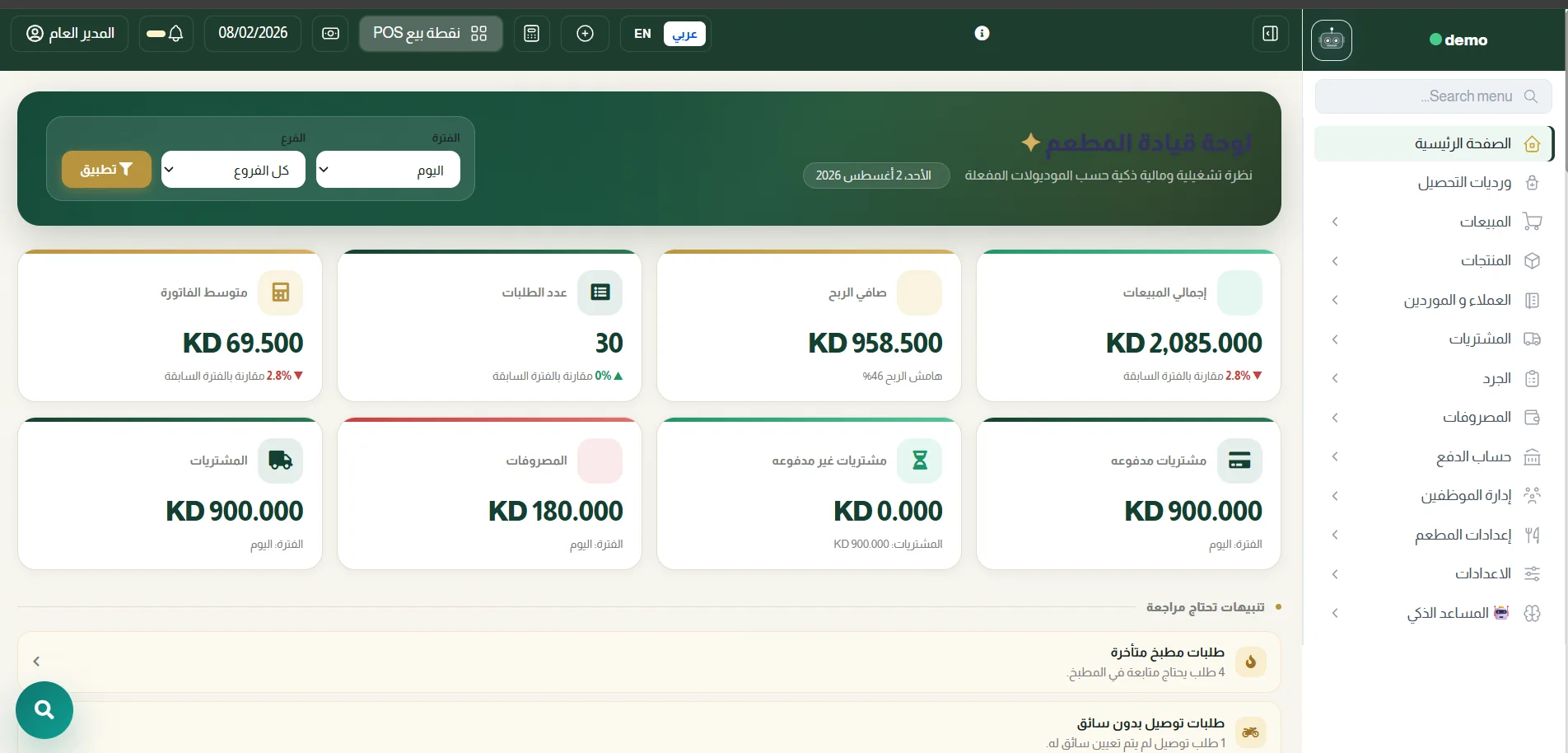
In many restaurants the work is spread over several tools: a till, paper tickets for the kitchen, a notebook for delivery and a spreadsheet for stock. Every hand-off is a chance for a mistake or a delay. KEMET keeps these steps in one record: the order the cashier enters is the same order the kitchen sees, the same order that consumes ingredients, and the same order behind the branch report and the accounting entries.
Floor and cashier
The cashier opens a dine-in, takeaway or delivery order, picks items with photos and modifiers, and sends it to the kitchen or takes payment straight away.
- Tables on a floor plan, with moving orders, merging two tables and splitting a bill
- Cash, KNET or card, or several methods on the same bill
- Shift close and till reconciliation before handover
Kitchen and preparation
Every item reaches its station on the kitchen display or KOT printer, with guest notes and waiting time. Branches supplied by a central kitchen record preparation requests, production and transfers between branches.
Delivery and online orders
An ordering site under your restaurant’s name, table QR codes, delivery zones with fees and minimums, and a driver app that records pickup, delivery and collection.
Inventory and purchasing
Recipes define the ingredients each sold item consumes. Purchases, receiving, counts and waste post to the same stock, so you can see the gap between expected and actual usage.
Reports and accounts
Sales by branch and channel, expenses, day close and journal entries come from the same documents, so any figure in a report can be traced back to the invoice behind it.
How to start in KEMET
- Set up the branch, users and the permissions of each role
- Enter the menu with prices and modifiers, or import it from Excel
- Connect printers and the kitchen display to the branch
- Run a test order from the cashier to the invoice and day close
- Open to guests, then add delivery and online ordering
An example from a restaurant
A two-branch restaurant opens an order on table 7; it reaches the kitchen at once and is paid by KNET. At the end of the night the owner sees sales for both branches, the ingredients used and any till difference, on one screen.
Common questions
Do I need every part from day one?
No. Start with the cashier, kitchen and tables, then add delivery, online ordering and inventory as your plan and branch need them.
Does it work for more than one branch?
Yes. All branches sit under one account; each has its own menu, prices, permissions and stock, and the owner sees the full picture.
Do I need special hardware?
KEMET opens in the browser on computers, tablets and phones. Printers connect through the local print agent, and we help you choose suitable devices.
Can I try it before subscribing?
Yes. Plans include a free trial, and you can ask for a demo on your own restaurant.
Want to see it on your restaurant?
We show you the system on your own restaurant and help you choose the right plan and devices for your branches.