
Run a branch opening trial before the first real order
Test setup, menu, order, kitchen, payment and close-out in a small training run with the relevant staff.
Steps
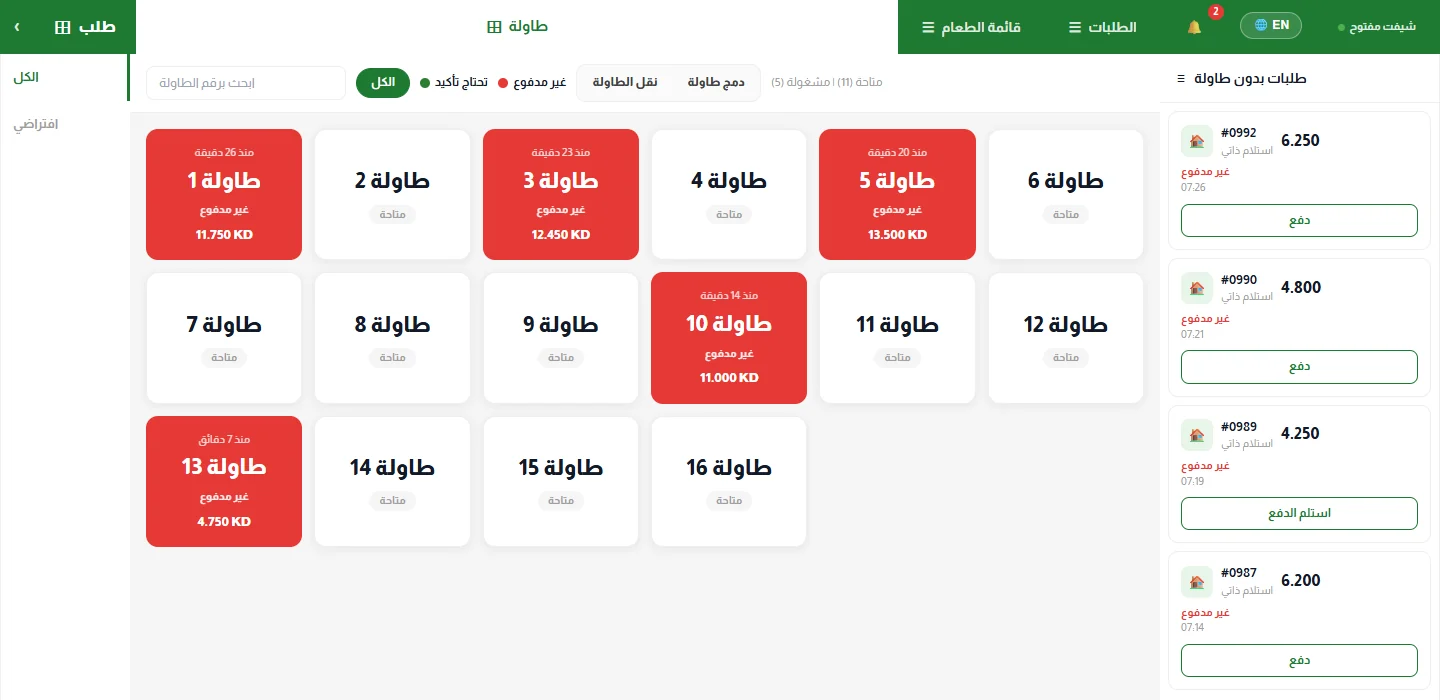
-
Define the trial and roles
Note the branch, channels and staff testing, and check cashier, waiter, kitchen and accountant permissions.
-
Prepare two items
One ready item and one recipe item that uses ingredients. Check units, stock and price.
-
Run an order
Open a shift, place a table or takeaway order, send it to the kitchen and check the ticket printed.
-
Test payment and a return
Collect the order, then return one item and check the credit note and refund.
-
Reconcile before closing
Kitchen checks stock, cashier the drawer, accountant the entries. Repeat any failed step on a new order.
Fields and buttons
| Field or button | When to use it | Result and how to check |
|---|---|---|
| Branch and period | Use the training branch account and retain invoice references and dates. | Compare sales, till and stock with the same training scope. |
| Kitchen ticket | Order one item with a modifier in a dine-in or takeaway training flow. | Match ticket to item, quantity and service destination. |
| Payment and return | Record a training payment and an eligible return on the same invoice. | Check note value, invoice balance and any actual refund. |
| Stock and journal | Trace one prepared or raw lot and its source movement on the trial. | Where enabled, open the journal and match branch, quantity and cost. |
| Close training day | Reconcile cash, terminal and pending orders before training day close. | Retain a traceable reference for each issue still open before launch. |
Worked example
A short opening trial
Make a 6.600 KWD order with two items. Record payment and a 3.300 KWD return of a damaged item in the test environment. Confirm the same branch, invoice and credit note numbers on the relevant screens before closing.
From ChatGPT or Claude
Once KEMET is connected to your assistant, copy and send this request:
Show today's sales and stock in the training branch so I can review the trial.
The assistant reads data right away. Any change is shown to you in KEMET for approval before it runs, within your account permissions only.
Tools the assistant uses here
restaurant_native_branch_branch_daily_summaryrestaurant_list_stockrestaurant_list_branch_journal
Verify the result
- A single order exists and each user completed the assigned step for the correct branch.
- Documents link together and the register, return and inventory effects can be explained from their source.
Common problems
The cashier can access the branch but sees no table or menu
Check both the table and menu branch assignments and status. Sign out and in again after a role change.
The kitchen received the order but the financial impact is unclear
Open the invoice and check status and payment type. Follow the journal from the source with the same branch and period. Resolve any account mapping error before accepting the test.
For: Restaurant owner Branch manager Cashier Kitchen team Purchasing and stock Accountant
Screens and buttons depend on your account permissions and branches. Images show KEMET with training data.